 ← Back
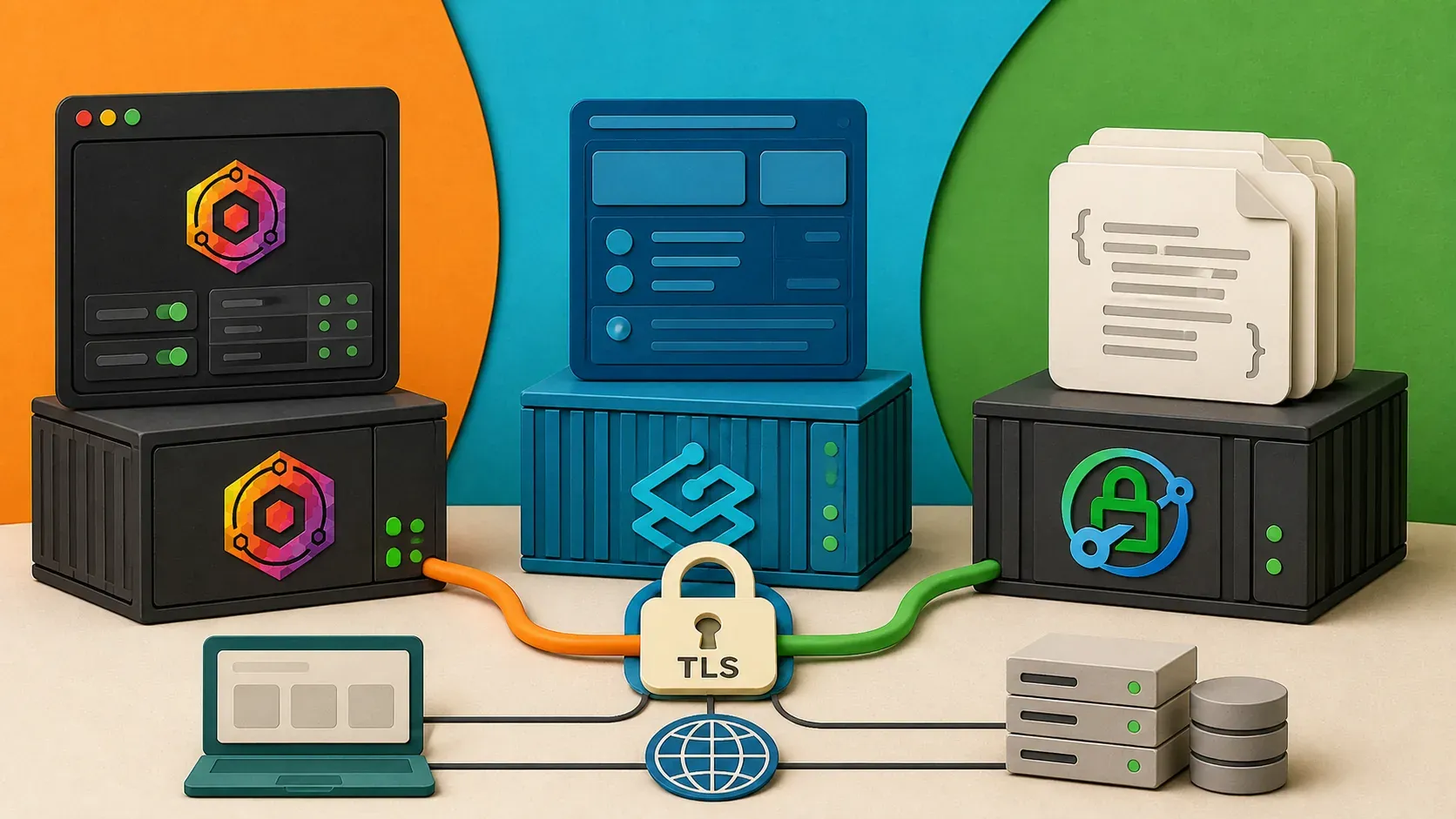
Nginx Proxy Manager, Traefik, and Caddy all handle reverse proxying and SSL — but for different use cases. NPM wins for GUI-driven simplicity, Traefik excels in dynamic Docker environments, and Caddy is the cleanest option for config-file users.
Every self-hosted stack needs a reverse proxy. It's the front door — it terminates SSL, routes traffic to the right container, and keeps your services from fighting over port 443. But which one should you pick?
I've used all three. Nginx Proxy Manager runs this blog. I've deployed Traefik on client projects. And Caddy has quietly become my favorite for small stacks. This comparison covers the differences that actually matter: setup time, Docker integration, SSL handling, and the learning curve.
If you're choosing a reverse proxy for your self-hosting setup, this post will help you make the right call.
How Do Nginx Proxy Manager, Traefik, and Caddy Compare?
| Feature | Nginx Proxy Manager | Traefik | Caddy |
|---|---|---|---|
| Config style | Web UI | Labels / YAML | Caddyfile / JSON |
| Auto SSL | Yes (Let's Encrypt) | Yes (Let's Encrypt) | Yes (Let's Encrypt + ZeroSSL) |
| Docker integration | Manual (UI) | Native (labels) | API / Caddyfile |
| Web dashboard | Full GUI | Read-only dashboard | None (API only) |
| Learning curve | Low | High | Medium |
| Performance | Excellent (Nginx core) | Good | Good |
| Wildcard certs | Yes (DNS challenge) | Yes (DNS challenge) | Yes (DNS challenge) |
| Active community | Large | Very large | Growing |
| Config as code | No (DB-backed) | Yes | Yes |
| Resource usage | ~50MB RAM | ~80MB RAM | ~30MB RAM |
What Is Nginx Proxy Manager and When Should You Use It?
Nginx Proxy Manager (NPM) wraps Nginx in a web interface. You click through forms to add proxy hosts, and it generates the Nginx config behind the scenes. I chose it for the ByteGuard stack because I wanted to get Ghost, Uptime Kuma, and the blog itself online in an afternoon.
Setup with Docker Compose
services:
  npm:
    image: jc21/nginx-proxy-manager:latest
    container_name: npm
    ports:
      - "80:80"
      - "443:443"
      - "81:81"  # Admin UI
    volumes:
      - npm_data:/data
      - npm_letsencrypt:/etc/letsencrypt
    restart: unless-stopped

volumes:
  npm_data:
  npm_letsencrypt:
Start it with docker compose up -d, open http://<YOUR_IP>:81, and log in with the default credentials ([email protected] / changeme). From there, adding a proxy host is four fields: domain, forward hostname (container name), forward port, and a toggle for SSL.
Pros
- Fastest time to first proxy. If you've never touched Nginx config files, NPM gets you from zero to SSL-terminated proxy in under five minutes.
- Visual certificate management. You can see every certificate, its expiry date, and renewal status in one screen.
- Access lists and custom Nginx config. The UI supports basic auth, IP restrictions, and raw Nginx directives for advanced users.
Cons
- Not config-as-code. The config lives in a SQLite database. You can't version-control your proxy rules or reproduce the setup from a file. If the database corrupts, you're rebuilding from scratch.
- Port 81 exposure. The admin UI runs on a separate port. You need to either firewall it or put it behind itself (which is awkward).
- Docker-unaware. NPM doesn't know about your Docker containers. When you add a new service, you manually create a proxy host. It won't auto-discover anything.
Who Should Use NPM
You want a working reverse proxy today and don't care about infrastructure-as-code. You're running a small stack (under 10 services) and prefer clicking over editing YAML. This is where most self-hosters start, and honestly, many never need to leave.
Want the full walkthrough? See my dedicated guide on how to set up Nginx Proxy Manager with Docker, from Compose file to locked-down admin panel.
What Is Traefik and When Should You Use It?
Traefik was built for containerized environments. Instead of editing config files or clicking through a UI, you define routing rules as Docker labels on your containers. Traefik watches the Docker socket, detects new containers, and configures itself automatically.
Setup with Docker Compose
services:
  traefik:
    image: traefik:v3.0
    container_name: traefik
    command:
      - "--api.dashboard=true"
      - "--providers.docker=true"
      - "--providers.docker.exposedbydefault=false"
      - "--entrypoints.web.address=:80"
      - "--entrypoints.websecure.address=:443"
      - "--certificatesresolvers.letsencrypt.acme.httpchallenge.entrypoint=web"
      - "[email protected]"
      - "--certificatesresolvers.letsencrypt.acme.storage=/letsencrypt/acme.json"
    ports:
      - "80:80"
      - "443:443"
    volumes:
      - /var/run/docker.sock:/var/run/docker.sock:ro
      - traefik_letsencrypt:/letsencrypt
    restart: unless-stopped

volumes:
  traefik_letsencrypt:
Now, instead of configuring the proxy separately, you add labels to your application containers:
services:
  ghost:
    image: ghost:5
    labels:
      - "traefik.enable=true"
      - "traefik.http.routers.ghost.rule=Host(`blog.example.com`)"
      - "traefik.http.routers.ghost.entrypoints=websecure"
      - "traefik.http.routers.ghost.tls.certresolver=letsencrypt"
      - "traefik.http.services.ghost.loadbalancer.server.port=2368"
Deploy the container, and Traefik picks it up automatically. No manual proxy host creation. No UI interaction. Remove the container, and the route disappears.
Pros
- True auto-discovery. Add a container with the right labels, and it's proxied. No extra step.
- Config as code. Everything is in your Docker Compose files. Version-control the whole stack,
docker compose up -don a new server, and you have an identical setup. - Middleware ecosystem. Rate limiting, basic auth, header manipulation, circuit breakers — all configured as labels. No custom Nginx snippets.
- Scales well. Traefik handles Docker Swarm, Kubernetes, and multi-provider setups out of the box.
Cons
- Steep learning curve. The concepts (entrypoints, routers, middlewares, services, providers) take time to internalize. The documentation is comprehensive but dense.
- Docker socket exposure. Traefik needs read access to the Docker socket (
/var/run/docker.sock). This is a security risk — a compromised Traefik container could inspect and manipulate all your containers. Mitigate this with a Docker socket proxy or follow the guidelines in my Docker security post. - Verbose labels. A single service might need 5-8 labels. Multiply that by 10 services and your compose file gets noisy.
Who Should Use Traefik
You're running 10+ services, you add and remove containers frequently, and you want everything defined in code. You're comfortable reading documentation and debugging label syntax. Traefik pays back the learning investment when your stack grows.
What Is Caddy and Why Is It Underrated?
Caddy is a web server written in Go that does automatic HTTPS by default. No config required for SSL — it requests and renews certificates for every domain you define. The config format (Caddyfile) is the simplest of the three.
Setup with Docker Compose
services:
  caddy:
    image: caddy:2
    container_name: caddy
    ports:
      - "80:80"
      - "443:443"
    volumes:
      - ./Caddyfile:/etc/caddy/Caddyfile
      - caddy_data:/data
      - caddy_config:/config
    restart: unless-stopped

volumes:
  caddy_data:
  caddy_config:
Create a Caddyfile:
blog.example.com {
    reverse_proxy ghost:2368
}

status.example.com {
    reverse_proxy uptime-kuma:3001
}
That's the entire reverse proxy config. Two lines per service. SSL happens automatically — Caddy requests certificates from Let's Encrypt (or ZeroSSL) on first request, stores them in /data, and renews them before expiry. No certresolver config. No toggle. It's the default behavior.
Pros
- Automatic HTTPS with zero config. This is Caddy's killer feature. Every site gets SSL by default. No ACME setup, no certificate resolver blocks, no toggles.
- Minimal config. A Caddyfile for 10 services is maybe 30 lines. Compare that to 80+ lines of Traefik labels or 10 manual proxy hosts in NPM.
- Low resource usage. Caddy consistently uses less RAM than Traefik and comparable CPU to NPM.
- Config as code. The Caddyfile is a plain text file. Version control it, template it, ship it.
- Hot reload.
caddy reloadapplies config changes without dropping connections. No container restart needed.
Cons
- No web UI. If you want a dashboard, you're looking at the Caddyfile in a text editor. There's an admin API, but no official GUI.
- Smaller community. Fewer Stack Overflow answers and fewer blog posts compared to Nginx or Traefik. When you hit an edge case, you might be reading source code.
- Docker integration isn't native. Unlike Traefik, Caddy doesn't watch Docker labels out of the box. You edit the Caddyfile and reload. There are third-party plugins for Docker integration, but they're not first-party.
Who Should Use Caddy
You want the simplest possible config, you're comfortable editing text files, and you don't need a GUI. Caddy is perfect for stacks under 20 services where you don't add/remove containers hourly. It's also excellent as a dev proxy on your local machine.
Which Reverse Proxy Should You Choose for Self-Hosting?
I hate cop-out answers, so here's my actual decision tree:
- First self-hosted project, want it running today? → Nginx Proxy Manager. The GUI removes all friction. I used it for this very blog and it's been rock-solid.
- Growing stack, everything in Docker Compose, want auto-discovery? → Traefik. The learning curve is real, but the payoff at scale is worth it.
- Want the simplest config with automatic SSL and don't need a GUI? → Caddy. If I were starting ByteGuard from scratch today, I'd probably pick Caddy.
The good news: switching later isn't hard. Your application containers don't change — only the proxy layer does. Pick the one that matches your comfort level now.
What Are the Security Differences Between These Reverse Proxies?
Whichever proxy you choose, keep these in mind:
- TLS versions. Disable TLS 1.0 and 1.1. All three support TLS 1.2+ by default, but verify your config. Caddy enforces TLS 1.2+ out of the box.
- HTTP to HTTPS redirect. All three support automatic redirects. Make sure it's enabled — you don't want any service accessible over plain HTTP.
- Docker socket access. Only Traefik needs it. If you use Traefik, mount the socket read-only (
:ro) and consider a socket proxy. NPM and Caddy don't need socket access at all. - Admin interfaces. NPM exposes port 81, Traefik has an optional dashboard. Restrict access with firewall rules or put them behind authentication. Caddy's admin API listens on localhost only by default.
- Rate limiting. Traefik has built-in rate limiting middleware. For NPM, you'd add custom Nginx directives. For Caddy, use the
rate_limitplugin. All three can do it, but Traefik makes it easiest.
How Do You Troubleshoot Common Reverse Proxy Issues?
Problem: SSL certificate not issuing. Cause: Port 80 is blocked, DNS doesn't point to your server, or you've hit Let's Encrypt rate limits. Fix: Verify dig +short yourdomain.com returns your server IP and port 80 is open (sudo ufw allow 80/tcp). Check rate limits at letsencrypt.org/docs/rate-limits.
Problem: 502 Bad Gateway. Cause: The proxy can't reach the backend container. Wrong hostname or port. Fix: Ensure the proxy and backend are on the same Docker network. Use container names as hostnames (e.g., ghost, not localhost).
Problem: Traefik labels are ignored. Cause: exposedbydefault=false is set but you forgot traefik.enable=true. Fix: Add the traefik.enable=true label to every container you want proxied.
Problem: Caddy shows "default" page instead of your site. Cause: The domain in your Caddyfile doesn't match the request's Host header. Fix: Verify the domain is spelled correctly and DNS resolves to your server.
What Is the Final Verdict on NPM vs Traefik vs Caddy?
All three are solid choices. NPM gets you started fast with a GUI. Traefik scales best for dynamic container environments. Caddy gives you the cleanest config with automatic SSL.
I wrote a full walkthrough of the NPM setup when I built ByteGuard from scratch, and the Docker security post covers how to lock down whichever proxy you choose. If you're still deciding on a platform, my Ghost vs WordPress comparison might help too.
Nginx Proxy Manager FAQ
Is Nginx Proxy Manager free?
Yes. Nginx Proxy Manager is free and open source — there is no paid tier or license fee. Your only cost is the server you run it on, and a $5/month VPS is plenty.
What ports does Nginx Proxy Manager use?
The admin dashboard runs on port 81, while the proxy itself listens on 80 (HTTP) and 443 (HTTPS). Expose 80 and 443 to the internet for Let's Encrypt and your sites, but keep port 81 restricted to your LAN or VPN.
What is the default Nginx Proxy Manager login?
The default credentials are email [email protected] and password changeme. NPM forces you to set a real email and a strong password the first time you sign in.
Can I run Nginx Proxy Manager on Proxmox?
Yes. Run it as a Docker container inside a VM or LXC on Proxmox — the same Docker Compose file from the section above works unchanged. Many homelabbers use the Proxmox community helper scripts to spin it up in minutes.
Nginx Proxy Manager vs plain Nginx — what is the difference?
Nginx Proxy Manager is a web GUI and automatic Let's Encrypt layer built on top of the same Nginx engine. You get the power of Nginx without hand-editing config files — NPM writes them for you behind the scenes.
What is the best Nginx Proxy Manager alternative?
Traefik and Caddy are the two strongest alternatives. Pick Traefik if you want dynamic, Docker-label-driven routing, or Caddy if you want the simplest possible config with automatic HTTPS. Both are compared in detail above.
WHAT I RUN THIS ON
- Contabo VPS — affiliate link
Rather not do the setup yourself? I'll set up your whole stack for $49 →Affiliate links — same price for you, small commission to me if you sign up. I only list providers I personally run workloads on.
Want this reverse proxy set up for you?
I'll provision a hardened VPS with your reverse proxy and free Let's Encrypt SSL, behind a firewall, and hand you every credential and command — $49, done-for-you. Already running it in production? I also do $200–500 hardening audits.

Comments
Sign in with GitHub to comment. Threads live in the byteguard-comments repo.