 ← Back
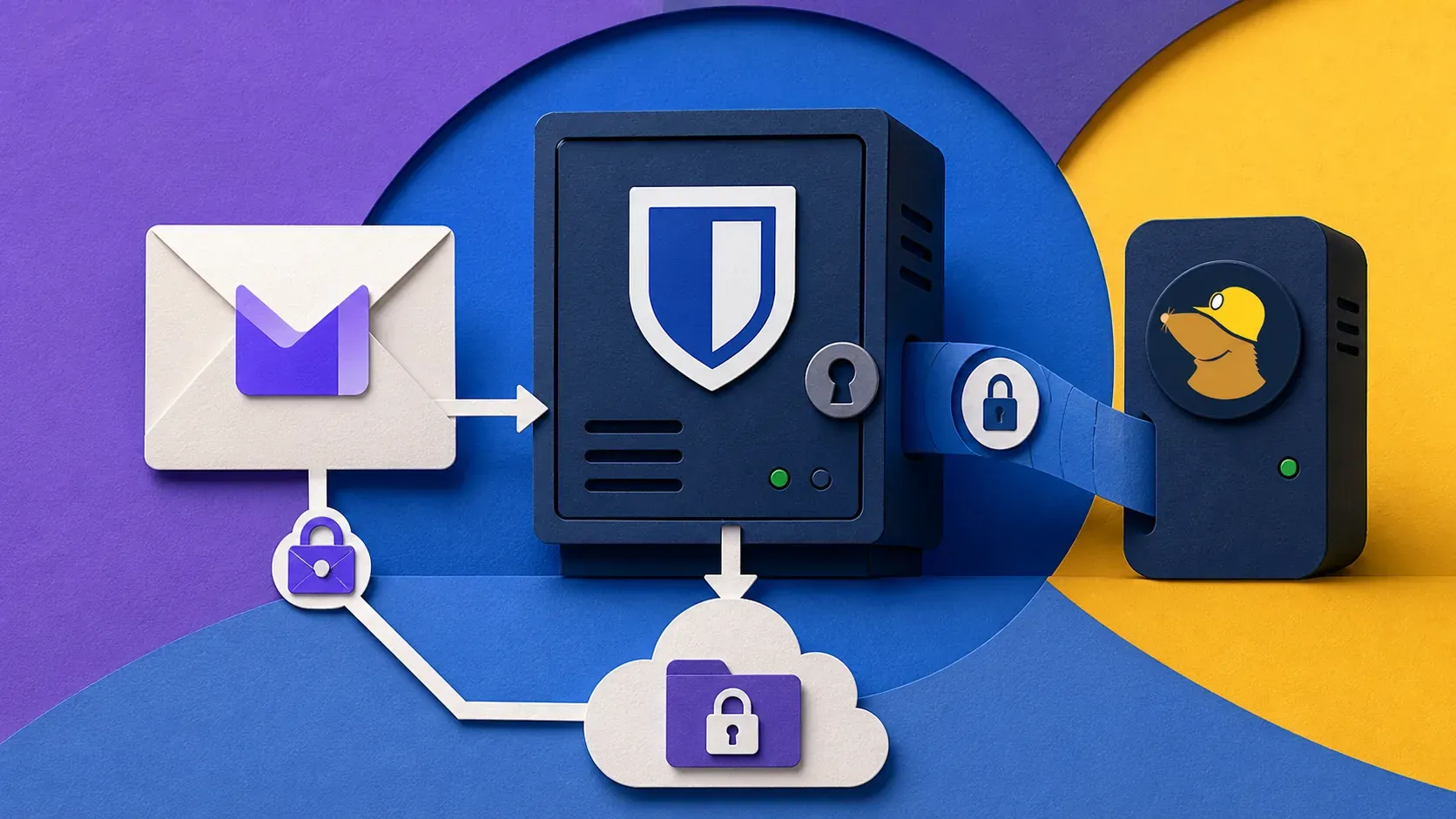
TL;DR: A working privacy stack in 2026 is not a single tool. It's seven decisions made in the right order. Mine costs €228/year, runs on infrastructure I own where it can, and falls back to paid hosted services where running it myself would be irresponsible. This is the exact configuration I use; copy as much or as little as you want.
The previous two posts in this arc covered Proton VPN and private email providers in isolation. This one zooms out. Privacy isn't a product, it's a system — and a system that's 90% self-hosted with a leaky DNS resolver isn't private.
I'll walk through the seven layers, what I run at each, what it costs, and what the alternatives are.
The seven layers
- Identity & passwords — Vaultwarden (self-hosted Bitwarden)
- Email — Proton Mail with custom domain
- DNS resolver — NextDNS
- Network exit — Proton VPN (selectively, not always-on)
- Messengers — Signal + Matrix (Element X)
- File storage & sharing — Proton Drive + occasional self-hosted Nextcloud
- Backups — restic to Backblaze B2 (encrypted client-side)
Total: €228/year at current 2026 pricing. Per-tool breakdown at the bottom.
1. Identity & passwords — Vaultwarden
What I run: Vaultwarden (Bitwarden-compatible, Rust rewrite) on my Hetzner CPX22, behind Nginx Proxy Manager, accessed only over WireGuard from outside my home network.
Why: Self-hosting your password manager sounds terrifying but it's actually the easiest self-hosting decision. The Bitwarden clients are best-in-class, the server side is a single Docker container with a SQLite DB, and you keep your own backups. The threat model is "lose the encrypted vault" — and the answer is: keep three copies of the encrypted blob in three places.
Configuration: The 12-minute setup is at Vaultwarden in 12 minutes. Three things I do beyond the default:
# docker-compose.yml additions
environment:
  - SIGNUPS_ALLOWED=false        # set to true once, register, then turn off
  - ADMIN_TOKEN=<long random>    # only used to reach /admin
  - WEBSOCKET_ENABLED=true       # live vault sync across devices
  - SMTP_HOST=smtp-relay.brevo.com    # so vault sends recovery emails
  - SMTP_PORT=587
  - [email protected]
  - LOG_FILE=/data/vaultwarden.log
volumes:
  - ./vault-data:/data
restart: unless-stopped
Don't expose /admin to the internet. Either put it behind WireGuard (what I do) or behind HTTP basic auth at the reverse proxy layer.
Backup strategy: the entire vault-data directory is in my nightly restic snapshot (see layer 7). That gives me 90 daily, 12 weekly, 24 monthly restore points. Tested by spinning up a parallel Vaultwarden, pointing it at a 30-day-old snapshot, and verifying I can log in.
Don't pick this if you have less than one hour of patience for Docker debugging on your worst day. Pay for Bitwarden Premium ($10/year) and move on. It's the right answer for most people.
2. Email — Proton Mail with custom domain
What I run: Proton Mail Plus, custom domain on byte-guard.net, SimpleLogin aliases for every signup.
Why: Self-hosting email is the one thing I won't self-host. The DNS reputation game, the SPF/DKIM/DMARC/ARC headers, the constant fight to land in Gmail's inbox — even people who run mail servers professionally lose this fight. Paid hosted email is the right call.
Full comparison + reasoning: Private Email Showdown.
Configuration tip most people skip: set up a catch-all on your custom domain after DMARC is at p=quarantine or p=reject. Otherwise spammers will discover the catch-all within hours and you'll get hundreds of junk addresses generated against your domain.
Don't pick this if you're not ready to pay €4-12/mo for email. Gmail's privacy policy is what it is; if you're not willing to pay, use Gmail with a free SimpleLogin tier on top for alias hygiene.
3. DNS resolver — NextDNS
What I run: NextDNS configured at the router level (so every device on my LAN inherits) and on every laptop / phone individually via the system DNS-over-HTTPS setting (so the device-level config follows me to coffee shops).
Why: Most "privacy" wins come from blocking trackers and telemetry, not from encrypting application traffic. NextDNS is a hosted Pi-hole that does both: DoH/DoT encrypted to their resolver, plus filterlists that block trackers, ads, and known C2 domains. Configurable per-profile (one for the LAN, one for the kids' iPad, one for me).
Configuration: I run two profiles.
- Main profile: OISD-Big, NextDNS Ads & Trackers, Hagezi Pro, Spamhaus DROP. Aggressive.
- Travel profile: same as Main, plus "Safe Search" and a few more aggressive filters when I'm on public Wi-Fi where I trust nothing.
Don't pick this if you'd rather self-host. Pi-hole on a Raspberry Pi or in a container does ~80% of the same job. The thing NextDNS gives you that Pi-hole doesn't: device-level configuration that follows your laptop and phone outside your home network. That's the killer feature.
Privacy note: NextDNS logs queries by default at the IP/timestamp level. You can disable logging entirely or anonymize. I disable logging on the travel profile, keep 24-hour rolling logs on the main profile so I can debug "why isn't this site loading."
4. Network exit — Proton VPN, selectively
What I run: Proton VPN on my MacBook for any session on untrusted Wi-Fi. On servers, I run Proton WireGuard inside a specific Docker network so only flagged containers exit through Proton — the rest of the server traffic stays on the direct Hetzner route.
Why selectively: Always-on VPN is a tax on every connection. For static-blog traffic from my Hetzner box, adding 18ms of Amsterdam-exit latency is pointless. For scraper containers that need IP rotation, it's mandatory. Be deliberate about which connections actually benefit.
Full review: Proton VPN in 2026.
Configuration in Docker:
# docker-compose.yml
networks:
  proton-nl:
    driver: bridge

services:
  scraper:
    image: my-scraper:latest
    networks: [proton-nl]
    dns: [10.2.0.1]    # Proton's WireGuard DNS, no leak
The WireGuard tunnel runs on the host; containers attached to proton-nl exit through it. Containers on the default bridge exit normally.
Don't pick this if your only concern is your ISP. A privacy-respecting DNS resolver (layer 3) gets you 80% of the way and doesn't slow you down.
5. Messengers — Signal + Matrix
What I run: Signal for any conversation with a real person who isn't a fellow Matrix user. Matrix (Element X client) for the federation-curious group chats.
Why: Signal is the gold standard for private messaging in 2026 — the protocol is audited, the metadata leakage is minimal, and "is on Signal" is the closest thing privacy has to a network effect. Matrix is what you use when you want federation, multi-device without phone-number binding, or you're running a community.
Configuration tip: turn off "share phone number" in Signal's privacy settings if you're using a username (Signal added usernames in 2024). Don't expose your phone number to people you don't trust with it.
For Matrix, I use a paid hosted homeserver (EMS, $5/mo) rather than self-hosting Synapse. Synapse is performant only if you keep it tuned, and I'd rather not be the bottleneck for my own group chats.
Don't pick this if the people you actually message are on iMessage or WhatsApp. There's no privacy win from being the only person on Signal whose messages still travel via SMS gateway.
6. File storage — Proton Drive + Nextcloud for the gnarly stuff
What I run:
- Proton Drive for documents, photos I want backed up and synced across devices, anything I'd previously have put in iCloud.
- Nextcloud (self-hosted on the Hetzner box) for large media files, project archives, things I share with collaborators via public links.
Why split: Proton Drive's E2E is the right answer for "phone photo backup" — it just works, it's encrypted, it survives my phone falling in a lake. Nextcloud is the right answer for "20 GB of project files I want to share with someone via a link" — Proton's link sharing is more limited and the sync client is less mature.
Nextcloud configuration: the standard Docker Compose deployment, behind NPM, with Talk and Calendar enabled. Object storage backend is S3-compatible (I use Backblaze B2 for the data layer, Postgres in a sibling container for metadata).
Don't pick this if you don't have a use case beyond "store some PDFs." Proton Drive alone is enough. Adding Nextcloud is a real ops commitment.
7. Backups — restic to Backblaze B2
What I run: restic snapshots of every critical volume (Vaultwarden DB, Nextcloud data, blog DB, Mailgun config dir, the byte-guard.net deployment dir) to a Backblaze B2 bucket, encrypted client-side, rotated daily/weekly/monthly.
Why: All of the above is worthless if a Hetzner outage or a misconfigured rm -rf takes out the live data. Backups are non-negotiable.
Configuration:
# /etc/restic/byteguard.env
export RESTIC_REPOSITORY=b2:byteguard-restic-2026:/
export RESTIC_PASSWORD_FILE=/etc/restic/password
export B2_ACCOUNT_ID=<keyID>
export B2_ACCOUNT_KEY=<applicationKey>

# /etc/systemd/system/restic-backup.service
ExecStart=/usr/bin/restic backup --tag nightly /opt/byteguard /var/lib/postgresql
ExecStartPost=/usr/bin/restic forget --tag nightly \
              --keep-daily 14 --keep-weekly 8 --keep-monthly 12 --prune

# /etc/systemd/system/restic-backup.timer
OnCalendar=*-*-* 03:30:00
RandomizedDelaySec=15m
The --randomized-delay is so a B2 outage doesn't see thousands of cron jobs from elsewhere on the planet all retrying at exactly 03:30.
Restore test once a quarter. A backup you've never restored from is a hope, not a backup. I spin up a test VPS, point restic restore at last week's snapshot, and confirm the blog DB + Vaultwarden DB are usable.
Don't pick this if you're going to set it up and never test restores. Run borg instead with the same backend — the workflow is fractionally simpler and you're less likely to skip the test.
Cost breakdown
| Layer | Tool | Annual cost (€) |
|---|---|---|
| 1 | Vaultwarden | 0 (self-host) |
| 2 | Proton Mail Plus | 48 |
| 3 | NextDNS Pro | 20 |
| 4 | Proton VPN Plus | 60 |
| 5 | Signal | 0 |
| 5 | Matrix EMS homeserver | 60 |
| 6 | Proton Drive | (included in Proton Unlimited) |
| 7 | Backblaze B2 (40 GB) | 4 |
| — | Hetzner CPX22 (hosts 1, 6, 7) | 84 |
| Total | ~276/year |
Some of that is double-counted (Proton bundles cheaper than separate). On Proton Unlimited (~€96/year), VPN + Mail + Drive are all bundled and the total drops to €264/year.
What I deliberately don't run
- A self-hosted email server. See above. Don't fight the IP reputation game.
- A Tor relay or exit node. Useful for the Tor network, but the legal exposure if your exit IP is associated with criminal activity isn't worth it for a hobbyist.
- A self-hosted Signal-equivalent (Briar / Session / etc.). Network effect matters more than the protocol. Signal works because people are on it.
- Anti-detection browser stuff. Browser fingerprinting countermeasures need to be uniform across millions of users to be effective. A unique stack is more fingerprint-able than a default Firefox.
What to add or swap in 2027
- Post-quantum readiness. Proton, Signal, and WireGuard are all adding PQ key exchange in 2026-2027. Not urgent for any reasonable threat model right now, but track the rollout.
- A second backup destination. I'm currently single-target on Backblaze. Adding a second restic repo to a different provider (Wasabi or rsync.net) is on my Q3 2026 list.
- Hardware tokens for everything. I have FIDO2 on Proton and GitHub. Adding to Mailbox.org, Backblaze, and the Hetzner console is overdue.
Get the playbook + weekly tutorials
This closes the 3-post privacy arc — Proton VPN, private email, and now the full stack. If you want every future deep-dive at the same depth, subscribe below — you'll get the Server Hardening Checklist immediately as a thank-you.
Try the services
- Proton VPN — and the Unlimited bundle — Proton Unlimited is VPN + Mail + Drive + Pass + Calendar, ~€96/year. Affiliate link; same price for you.
- NextDNS Pro — €20/year, the device-level DNS resolver. Affiliate link.
- Backblaze B2 — restic backend, no affiliate.
- Hetzner CPX22 — host for layers 1, 6, 7. No affiliate (program ended 2026-06-15).
Affiliate disclosure
Proton and NextDNS links are affiliate or referral. Backblaze and Hetzner are direct. Everything in this stack I pay for on my own card before I'd put my name on it. — enim

Comments
Sign in with GitHub to comment. Threads live in the byteguard-comments repo.