 ← Back
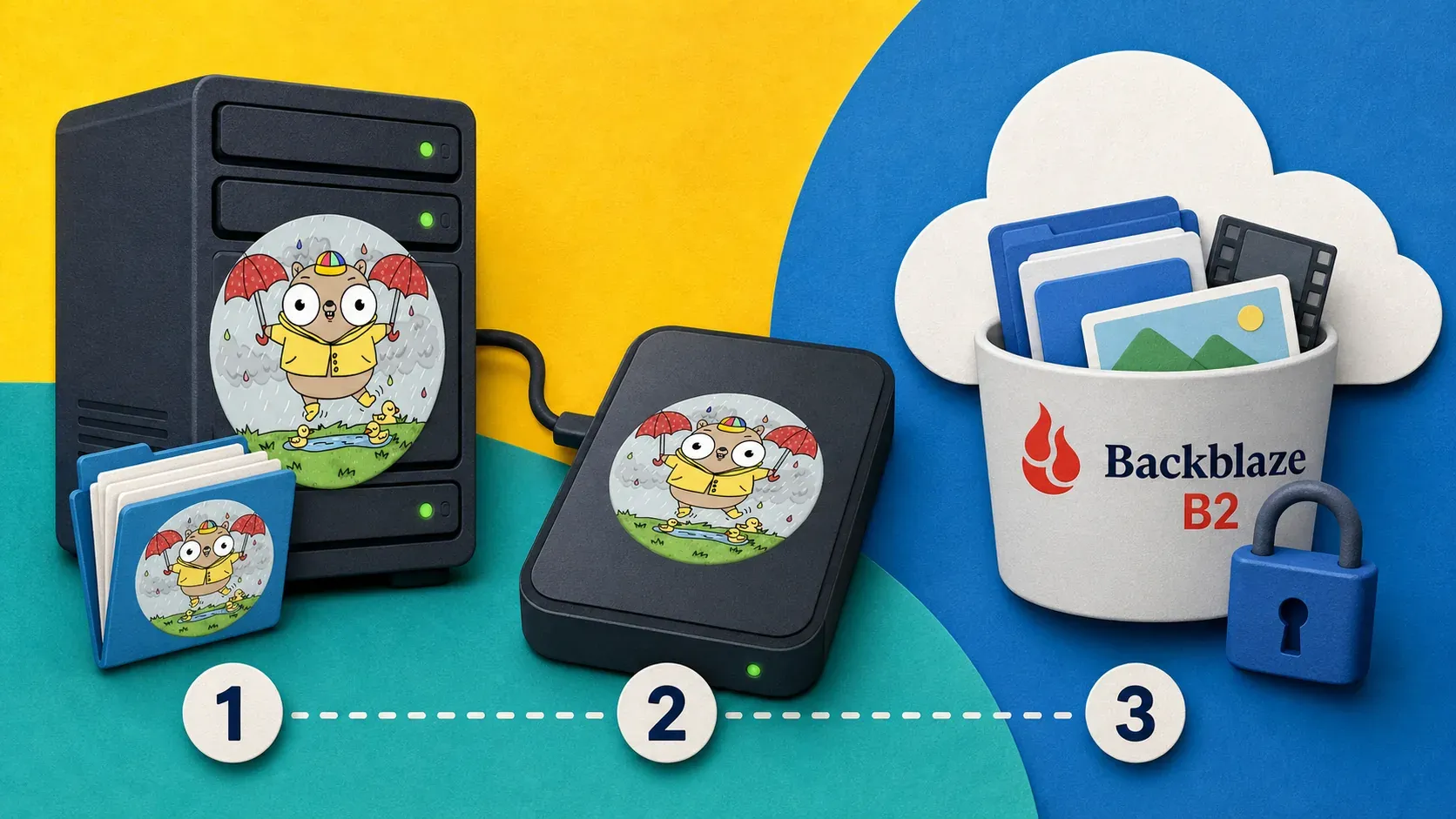
TL;DR: A real backup is encrypted, off-site, and restore-tested. The fastest way to get all three on a self-hosted server is restic pushing deduplicated, client-side-encrypted snapshots to Backblaze B2 — roughly $6/TB/month. This guide wires up the 3-2-1 rule end to end: what to back up in a Docker stack, an append-only key that survives ransomware, automation with a systemd timer, monitoring, and the restore drill almost nobody actually runs.
Every self-hoster has the same near-miss story. A docker compose down -v that took the -v flag too literally. A disk that filled and corrupted a SQLite database. A VPS the provider "migrated" into a coma. You only find out whether you had a backup at the exact moment you desperately need one — and for most people the answer is no, not really.
The uncomfortable truth: copying a folder to a second disk is not a backup. A backup is encrypted, lives somewhere your server can't reach, and has been restored at least once to prove it works. That's the 3-2-1 rule — 3 copies of your data, on 2 different media, with 1 off-site — and it's the difference between a bad afternoon and a rebuilt-from-memory weekend.
In this guide I'll set up the backup system I actually run: restic pushing encrypted snapshots to Backblaze B2, automated on a timer, monitored, and — the part everyone skips — verified with a real restore. It works the same on a €5 VPS or a home-lab box.
Prerequisites
- A self-hosted server with the data you care about — Docker volumes, config files, databases. If you don't have one yet, my build-from-scratch VPS guide gets you there.
- A hardened host. Backups contain everything sensitive you own; run through Harden Your Linux VPS in 10 Minutes first.
- A Backblaze B2 account. The free tier gives you 10 GB; beyond that it's about $6/TB/month with no egress fee for restores up to 3× your stored amount. Any S3-compatible target works (Wasabi, Cloudflare R2, even another VPS) — B2 is just the cheapest sane default.
- Root or sudo on the server.
Why restic (and not tar + cron)
A shell script that tars a directory and uploads it is better than nothing, but it has three problems restic solves for free:
- Deduplication. restic splits files into content-addressed chunks. The second snapshot of a 5 GB database that changed by 50 MB uploads ~50 MB, not 5 GB. Daily backups stay cheap.
- Client-side encryption. Everything is AES-encrypted before it leaves your server. Backblaze stores ciphertext it can't read. Your data is private even if the bucket leaks.
- Snapshots, not overwrites. Each backup is a point-in-time snapshot you can browse and mount. Ransomware that encrypts today's files doesn't touch yesterday's snapshot.
It's a single static Go binary with no daemon. That's the whole appeal.
Step 1: Install restic
sudo apt update && sudo apt install -y restic
restic version    # want 0.16+ for the modern compression
If your distro ships an old version, grab the static binary from the GitHub releases and drop it in /usr/local/bin/. Then let it self-update: sudo restic self-update.
Step 2: Create the Backblaze B2 bucket and key
In the Backblaze console:
- Create a bucket — name it something like
yourname-restic, set it Private, and turn on Object Lock if offered (we'll use it for ransomware protection below). - Go to Application Keys → Add a New Application Key. Scope it to just this bucket. Backblaze shows you a
keyIDandapplicationKeyonce — copy both now.
Drop the credentials into an environment file the backup will source, and lock its permissions hard:
sudo mkdir -p /etc/restic
sudo tee /etc/restic/b2.env >/dev/null <<'EOF'
export B2_ACCOUNT_ID="your_keyID"
export B2_ACCOUNT_KEY="your_applicationKey"
export RESTIC_REPOSITORY="b2:yourname-restic:server1"
export RESTIC_PASSWORD="a-long-random-passphrase-you-will-back-up-separately"
EOF
sudo chmod 600 /etc/restic/b2.env
Critical: that RESTIC_PASSWORD is the encryption key for your entire backup. If you lose it, your snapshots are unrecoverable ciphertext — there is no reset. Store a copy somewhere off this server: a password manager works perfectly, and here's how I self-host Vaultwarden for exactly this kind of secret.Step 3: Initialize the repository
source /etc/restic/b2.env
restic init
You'll see created restic repository ... at b2:yourname-restic:server1. That's the encrypted repo living off-site. Everything from here pushes into it.
Step 4: What to actually back up in a Docker stack
This is where most guides wave their hands. On a typical self-hosted box, the data that matters lives in three places:
- Named Docker volumes — your databases, app state, uploaded files (n8n's
n8n_data, Nextcloud's data volume, Vaultwarden'sbw-data). - Compose files and
.env— the configuration that defines the stack, usually under/opt. - Reverse-proxy and host config — Nginx Proxy Manager data,
/etcbits you've customized.
The mistake is backing up a running database's files directly — you can capture it mid-write and get a corrupt copy. For SQLite-backed apps (Vaultwarden, n8n, Ghost) the clean pattern is: dump, then back up the dump. Here's a wrapper that stops nothing, dumps databases consistently, and snapshots the volumes:
#!/usr/bin/env bash
# /etc/restic/backup.sh
set -euo pipefail
source /etc/restic/b2.env

STAGE=/var/backups/restic-stage
mkdir -p "$STAGE"

# Example: consistent SQLite dump (Vaultwarden). Repeat per app.
docker exec vaultwarden sqlite3 /data/db.sqlite3 ".backup '/data/db.backup.sqlite3'" || true
docker cp vaultwarden:/data/db.backup.sqlite3 "$STAGE/vaultwarden.sqlite3"

# Back up live config dirs + the staged dumps in one snapshot
restic backup \
  /opt \
  /etc/restic \
  "$STAGE" \
  --tag automated \
  --exclude-caches \
  --exclude '*.log'

# Retention: keep 7 daily, 4 weekly, 6 monthly; prune the rest
restic forget --tag automated \
  --keep-daily 7 --keep-weekly 4 --keep-monthly 6 \
  --prune

rm -rf "$STAGE"
sudo chmod 700 /etc/restic/backup.sh
For Postgres or MySQL containers, swap the dump line for docker exec db pg_dump -U user dbname > "$STAGE/db.sql". The principle holds: dump the database to a flat file, then let restic snapshot the file.
Step 5: Automate it with a systemd timer
Cron works, but a systemd timer gives you logs, failure status, and Persistent=true so a missed run (server was off) fires on next boot. Create two files:
# /etc/systemd/system/restic-backup.service
[Unit]
Description=restic backup to Backblaze B2
After=network-online.target docker.service

[Service]
Type=oneshot
ExecStart=/etc/restic/backup.sh
# /etc/systemd/system/restic-backup.timer
[Unit]
Description=Run restic backup nightly

[Timer]
OnCalendar=*-*-* 03:00:00
Persistent=true

[Install]
WantedBy=timers.target
Enable and test it:
sudo systemctl daemon-reload
sudo systemctl enable --now restic-backup.timer
sudo systemctl start restic-backup.service   # run once now
journalctl -u restic-backup.service -n 40     # read the result
Check systemctl list-timers restic-backup.timer to confirm the next run time.
Step 6: The restore drill (do this now, not in a crisis)
An untested backup is a hope, not a backup. Run a restore today, while nothing is on fire, so you know the muscle memory and you know it works.
List your snapshots:
source /etc/restic/b2.env
restic snapshots
Restore the latest snapshot into a scratch directory and eyeball it:
restic restore latest --target /tmp/restore-test
ls -R /tmp/restore-test | head
Even better, mount the repo like a filesystem and browse it:
mkdir /tmp/restic-mnt
restic mount /tmp/restic-mnt    # Ctrl-C to unmount
# in another shell: cd /tmp/restic-mnt/snapshots/latest
If your staged database dump and /opt configs are sitting there intact, you have a real, recoverable backup. Put a reminder in your calendar to repeat this restore test quarterly.
Ransomware-proofing: append-only keys
Here's the failure mode people miss: if your server is fully compromised, the attacker has your B2 credentials too — and can simply delete every backup before encrypting your live data. Two defenses:
- An append-only application key. Create a second B2 key restricted from deletes, and use it on the server. Run
restic forget --prunefrom a separate trusted machine with the full-access key. The server can write new snapshots but can never erase old ones. - Object Lock / immutability. If you enabled Object Lock on the bucket (Step 2), snapshots are write-once for a retention window even an admin can't override. This is the strongest protection and worth the few minutes to configure.
For a single-server setup, the append-only key is the high-value move: it means a root compromise still can't destroy your history.
Monitor it so silent failure can't bite you
A backup job that quietly stopped running three weeks ago is worse than no backup, because you think you're covered. Wire the job to a dead-man's-switch:
# at the end of backup.sh, ping a healthcheck URL on success
curl -fsS -m 10 https://your-uptime-kuma/api/push/XXXX?status=up >/dev/null
Point that at a push monitor in your Uptime Kuma setup configured to alert you if it doesn't hear from the job within 25 hours. Now a failed or skipped backup pages you instead of rotting in silence.
Troubleshooting
restic init hangs or returns a 401. Cause: wrong B2 key or it's scoped to a different bucket. Fix: regenerate the application key, confirm RESTIC_REPOSITORY matches b2:<bucket>:<path> exactly, re-source the env file.
Backups are huge every night despite dedup. Cause: you're backing up a live database file that rewrites entirely, or log files that churn. Fix: dump databases to a flat file (Step 4) and --exclude '*.log'.
repository is already locked. Cause: a previous run died mid-backup. Fix: restic unlock (safe when you're sure nothing else is running), then retry.
Restore is slow. Cause: B2 download throughput plus restic reassembling chunks. Fix: it's normal — restores read a lot of small blobs. For a full disaster restore, pull to a box with good bandwidth. This is exactly why you test before the emergency.
Conclusion
You now have backups that actually qualify as backups: encrypted before they leave the box, deduplicated so daily snapshots stay cheap, pushed off-site to Backblaze B2, automated on a timer, ransomware-resistant via an append-only key, monitored by a dead-man's switch, and — most importantly — restore-tested. That's the full 3-2-1 rule, not a folder copy you're hoping works.
Set it up once and the only ongoing cost is a few dollars a month and a quarterly restore drill. The next time a down -v or a dying disk takes out your stack, it's a thirty-minute restore instead of a rebuild from memory.
If you'd rather not wire all this up yourself, that's part of the VPS setup service I offer — I'll harden a server and stand up your stack (Vaultwarden, n8n, Nextcloud) with backups configured, for a flat $49 on infrastructure you own. Details on the VPS setup page. Otherwise, the Docker security guide is the natural next read to shrink the attack surface you're backing up in the first place.
Try the services
- Backblaze B2 — ~$6/TB/month, S3-compatible, the off-site target in this guide. No affiliate link (not a partner yet).
- restic — free, open source, single binary. The whole engine.
Affiliate disclosure
No affiliate links in this post — Backblaze B2 and restic are tools I pay for and run myself. The $49 VPS setup is my own paid service. — enim


Comments
Sign in with GitHub to comment. Threads live in the byteguard-comments repo.