 ← Back
TL;DR: You can self-host n8n on any 2 GB VPS with Docker Compose in about fifteen minutes. The official image plus a reverse proxy for SSL gives you unlimited workflow executions for the price of the server (~€5/month) instead of Zapier's per-task billing. The part the quick-start guides skip is securing it — auth, the executeCommand node, and backups. This guide covers all three.Zapier starts metering you the moment automation gets useful. The free tier caps you at 100 tasks a month; the first paid tier is $20 and still counts every single step against a quota. Make (formerly Integromat) plays the same game with "operations." If you run any real volume — syncing a CRM, posting to social, scraping a feed every hour — you hit the ceiling fast and the bill climbs with you.
n8n is the fix. It's an open-source workflow automation tool with 400+ integrations, a visual editor, and — crucially — no task limits when you run it yourself. When you self-host n8n on your own VPS, the only cost is the server. I run an n8n instance that fires hundreds of executions a day on a €5 box, and the marginal cost of each new workflow is zero.
In this guide I'll walk through a production setup: n8n in Docker Compose, fronted by a reverse proxy with real SSL, locked down with authentication, and backed up so a bad docker compose down -v doesn't wipe your workflows. By the end you'll have an instance you can actually trust with credentials.
Prerequisites
- A VPS with at least 2 GB RAM. n8n itself is light, but the Node runtime plus a few concurrent executions need headroom. A Hetzner CPX11 or any €5 tier is plenty to start. If you don't have a server yet, my build-from-scratch VPS guide covers provisioning.
- A hardened server. Before you expose anything, run through Harden Your Linux VPS in 10 Minutes — SSH keys, firewall, fail2ban. Non-negotiable for a service that stores API credentials.
- Docker and Docker Compose installed. My Docker security guide covers a secure install.
- A domain with an A record pointing
n8n.yourdomain.comat your server's IP. - Ports 80 and 443 open on the firewall (n8n's own port stays internal).
Why a reverse proxy is not optional
n8n listens on port 5678 over plain HTTP. You could expose that directly, but you'd be sending login credentials and webhook payloads in cleartext, and n8n refuses to set secure cookies without HTTPS. A reverse proxy terminates TLS, gives you a clean https://n8n.yourdomain.com, and keeps port 5678 bound to localhost where it belongs.
I use Nginx Proxy Manager for this because the UI makes Let's Encrypt certs a two-click job. If you're weighing options, I compared the three main choices in Nginx Proxy Manager vs Traefik vs Caddy. Any of them works here — the n8n config is identical.
Step 1: The Docker Compose file
Create a directory and a compose file:
mkdir -p /opt/n8n && cd /opt/n8n
# /opt/n8n/docker-compose.yml
services:
  n8n:
    image: docker.n8n.io/n8nio/n8n:latest
    restart: unless-stopped
    ports:
      - "127.0.0.1:5678:5678"   # bound to localhost — proxy reaches it, internet can't
    environment:
      - N8N_HOST=n8n.yourdomain.com
      - N8N_PORT=5678
      - N8N_PROTOCOL=https
      - WEBHOOK_URL=https://n8n.yourdomain.com/
      - N8N_EDITOR_BASE_URL=https://n8n.yourdomain.com/
      - GENERIC_TIMEZONE=Europe/Helsinki
      - N8N_ENCRYPTION_KEY=${N8N_ENCRYPTION_KEY}
      - N8N_RUNNERS_ENABLED=true
    volumes:
      - n8n_data:/home/node/.n8n

volumes:
  n8n_data:
A few of these lines matter more than they look:
ports: "127.0.0.1:5678:5678"binds n8n to localhost only. The reverse proxy reaches it over the Docker host; the public internet never touches port 5678 directly. This is the single most important line for security.N8N_PROTOCOL=httpsandWEBHOOK_URLtell n8n it lives behind TLS so it generates correcthttps://webhook URLs and sets secure cookies. Get these wrong and your webhooks will hand out brokenhttp://callback URLs.N8N_ENCRYPTION_KEYencrypts stored credentials at rest. Set it explicitly — if you let n8n auto-generate one inside the volume and that volume is ever lost, every saved credential becomes unrecoverable.
Generate the key and drop it in a .env file next to the compose file:
echo "N8N_ENCRYPTION_KEY=$(openssl rand -hex 24)" > /opt/n8n/.env
chmod 600 /opt/n8n/.env
Note: Back up that encryption key somewhere outside the server (a password manager — here's how I self-host Vaultwarden). Lose it and you lose access to every credential n8n has stored.
Step 2: Start it
docker compose up -d
docker compose logs -f
Wait for the log line Editor is now accessible via: https://n8n.yourdomain.com. The container also prints a warning if any env var looks off — read it before moving on. You won't be able to reach the UI yet because nothing is proxying to it; that's next.
Step 3: SSL via the reverse proxy
In Nginx Proxy Manager, add a new Proxy Host:
- Domain:
n8n.yourdomain.com - Forward Hostname/IP: the Docker host's IP on the bridge network (often
172.17.0.1), or the container name if NPM shares a network with n8n - Forward Port:
5678 - Websockets Support: ON — n8n's editor uses websockets for live execution feedback; without this the UI loads but hangs
- SSL tab: request a new Let's Encrypt certificate, force SSL, enable HTTP/2
Save, then visit https://n8n.yourdomain.com. You should land on the n8n owner-account setup screen.
Step 4: Lock down access
n8n's built-in user management is your first auth layer. The very first screen asks you to create an owner account with email and password — do it immediately, before you build anything. An unclaimed n8n instance reachable on the internet is an open door: anyone who finds the URL becomes the owner.
For a belt-and-suspenders second layer, add HTTP basic auth at the proxy. In NPM, edit the proxy host → Advanced tab, and add a custom Nginx directive, or use n8n's own basic-auth env vars:
    environment:
      # ... existing vars ...
      - N8N_BASIC_AUTH_ACTIVE=true
      - N8N_BASIC_AUTH_USER=${N8N_BASIC_AUTH_USER}
      - N8N_BASIC_AUTH_PASSWORD=${N8N_BASIC_AUTH_PASSWORD}
Add those two values to .env, then docker compose up -d to apply. Now an attacker hits a browser auth prompt before they even reach the login page.
Step 5: Build your first workflow
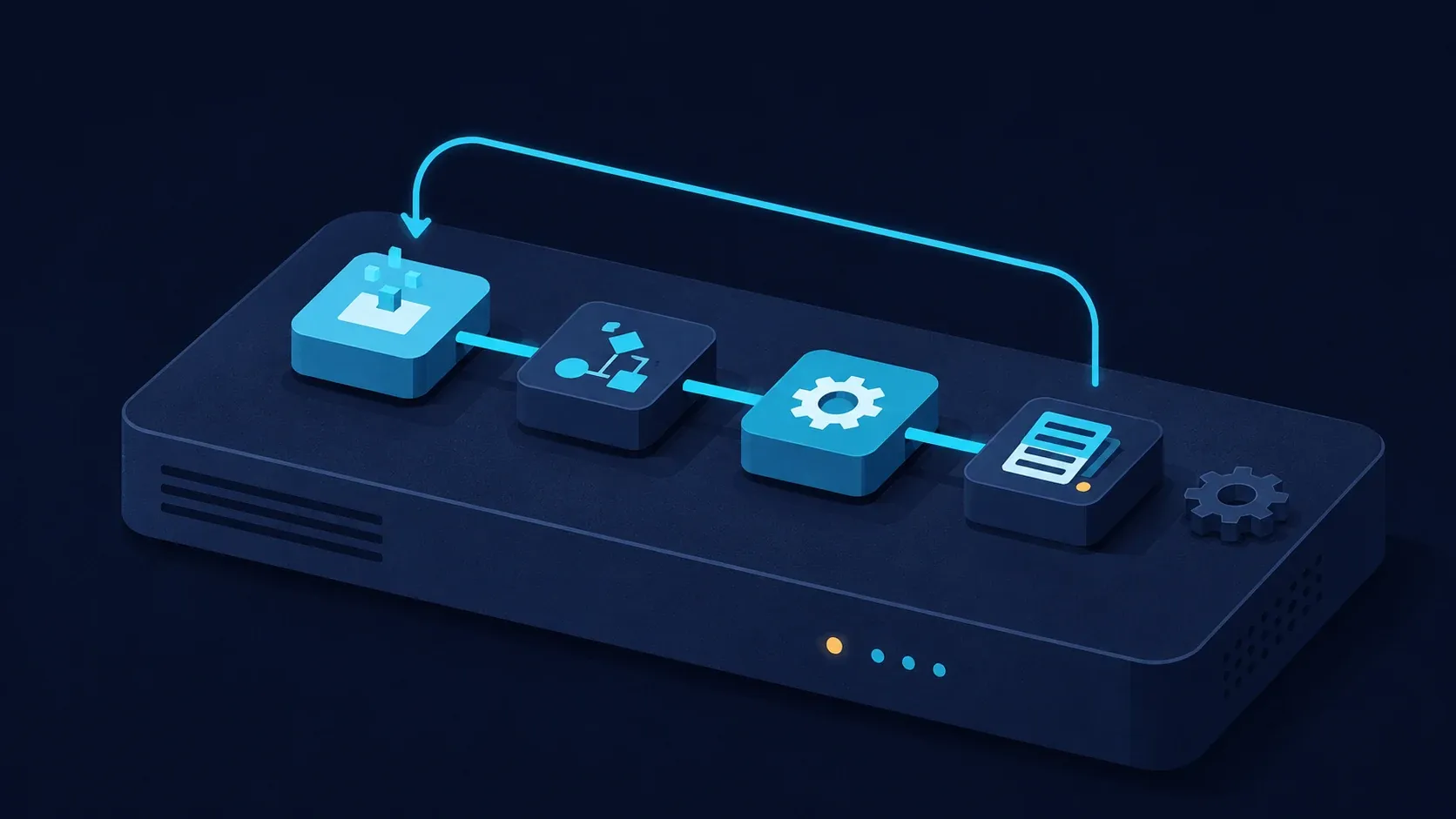
Click Add workflow, then drag in a Schedule Trigger node (run every hour) wired to an HTTP Request node that pings an API. Hit Execute Workflow and watch each node light up green with its output payload. That's the whole loop: trigger → action → inspect. Once it works, toggle the workflow Active in the top-right and n8n runs it on schedule without the editor open.
The real power shows up with the Execute Command node, which runs arbitrary shell on the host — perfect for calling your own Python scripts. But that node is also why the next section exists.
Security Considerations
Self-hosting n8n means you own the blast radius. Three things will hurt you if you ignore them:
- The
Execute CommandandRead/Write Filenodes run code on your server. In n8n v1.x+ these are disabled by default for exactly this reason. If you enable them (viaNODES_EXCLUDE=[]or the per-node setting), anyone who compromises your n8n login can run shell commands as the n8n user. Only enable them if you need them, and never expose an instance with those nodes active without strong auth in front. - Credentials are encrypted at rest, not in transit to third parties. n8n stores your API keys encrypted with
N8N_ENCRYPTION_KEY, but every active workflow can read them. Treat the instance as you would a password vault — same threat model, same care. - Webhooks are public by default. A webhook trigger creates a publicly reachable URL. If it performs anything sensitive, add header authentication on the node, or n8n will happily fire it for any stranger who guesses the path.
Put the box behind a firewall, keep the image updated (docker compose pull && docker compose up -d monthly), and watch it with uptime monitoring — here's my Uptime Kuma setup so you know within a minute if it falls over.
Step 6: Back it up
Everything — workflows, credentials, execution history — lives in the n8n_data Docker volume. Back it up on a cron:
# /opt/n8n/backup.sh
docker run --rm \
  -v n8n_n8n_data:/data \
  -v /opt/n8n/backups:/backup \
  alpine tar czf /backup/n8n-$(date +%F).tar.gz -C /data .
chmod +x /opt/n8n/backup.sh
# nightly at 03:00
echo "0 3 * * * /opt/n8n/backup.sh" | crontab -
Ship those tarballs off-box too — a backup that lives only on the server you're backing up isn't a backup.
Troubleshooting
Editor loads but hangs / executions never show output. Cause: websockets aren't passing through the proxy. Fix: enable "Websockets Support" on the NPM proxy host (Step 3). This is the single most common n8n-behind-a-proxy failure.
Webhooks return http:// URLs or fail with a redirect loop. Cause: WEBHOOK_URL / N8N_PROTOCOL don't match how the proxy serves the site. Fix: set N8N_PROTOCOL=https and WEBHOOK_URL=https://n8n.yourdomain.com/, then recreate the container.
"Command not allowed" when using the Execute Command node. Cause: in current n8n versions, executeCommand is excluded by default. Fix: set NODES_EXCLUDE=[] (an empty JSON array, not blank) in the environment and recreate — but only after you've read the Security Considerations above.
Lost all my workflows after docker compose down -v. Cause: the -v flag deletes named volumes, including n8n_data. Fix: restore from your backup tarball. Never use -v on a stack you care about; use plain down.
Credentials all show as invalid after a migration. Cause: the N8N_ENCRYPTION_KEY differs from the one that encrypted them. Fix: restore the original key. There is no recovery without it — this is why Step 1 says to back it up off-box.
Conclusion
You now have a self-hosted n8n instance with HTTPS, authentication, the dangerous nodes understood rather than ignored, and nightly backups — running for the flat cost of a VPS instead of Zapier's per-task meter. From here, build out the workflows that were eating your quota: feed scrapers, social posters, CRM syncs, alerting. The marginal cost of each new automation is now zero.
If you'd rather skip the setup and go straight to building workflows, that's literally a service I offer — I'll harden a VPS and install n8n (or Vaultwarden, or Nextcloud) for a flat $49 on infrastructure you own and keep. Details on the VPS setup page. Otherwise, the Docker security guide is the natural next read to lock the host down further.
Try the services
- Hetzner Cloud — the €5 CPX11 I run n8n on. No affiliate (program ended 2026-06-15).
- n8n — open source, self-hostable. The hosted cloud tier exists if you'd rather not run it, but self-hosting is the whole point here.
Affiliate disclosure
No affiliate links in this post — the tools named are ones I run on my own card. The $49 VPS setup is my own paid service. — enim


Comments
Sign in with GitHub to comment. Threads live in the byteguard-comments repo.