 ← Back
I spend a lot of time testing security tools — for my own infrastructure, for CTF challenges, and for the tools I recommend on this blog. The good news: the open-source security ecosystem in 2026 is stronger than ever. You can build a professional-grade security toolkit without spending a dollar.
This roundup of the best free security tools in 2026 covers everything from network scanning to web app testing to password auditing. Every tool here is something I've used personally. No filler, no tools I read about but never installed.
Whether you're a pentester, a sysadmin who needs to audit your own systems, or a student building your first home lab, this list has you covered.
Quick Comparison Table
| Tool | Category | Best For | Platform | License |
|---|---|---|---|---|
| Nmap | Network Scanning | Port scanning & service detection | Linux, macOS, Windows | GPLv2 |
| Wireshark | Network Analysis | Packet capture & analysis | Linux, macOS, Windows | GPLv2 |
| Burp Suite Community | Web App Testing | HTTP proxy & manual testing | Linux, macOS, Windows | Free tier |
| OWASP ZAP | Web App Testing | Automated web scanning | Linux, macOS, Windows | Apache 2.0 |
| Metasploit Framework | Exploitation | Penetration testing | Linux, macOS | BSD |
| John the Ripper | Password Auditing | Offline password cracking | Linux, macOS, Windows | GPLv2 |
| Hashcat | Password Auditing | GPU-accelerated cracking | Linux, Windows | MIT |
| Nuclei | Vulnerability Scanning | Template-based vuln scanning | Linux, macOS, Windows | MIT |
| Trivy | Container Security | Container & IaC scanning | Linux, macOS | Apache 2.0 |
| Uptime Kuma | Monitoring | Self-hosted uptime monitoring | Docker/Node.js | MIT |
| Fail2ban | Intrusion Prevention | Brute-force protection | Linux | GPLv2 |
| CrowdSec | Intrusion Prevention | Community-driven IP blocking | Linux, Docker | MIT |
| Lynis | System Auditing | Linux hardening audit | Linux, macOS | GPLv3 |
| OpenVAS | Vulnerability Scanning | Full vulnerability assessment | Linux | GPLv2 |
| Suricata | Network IDS/IPS | Real-time traffic analysis | Linux | GPLv2 |
Network Scanning Tools
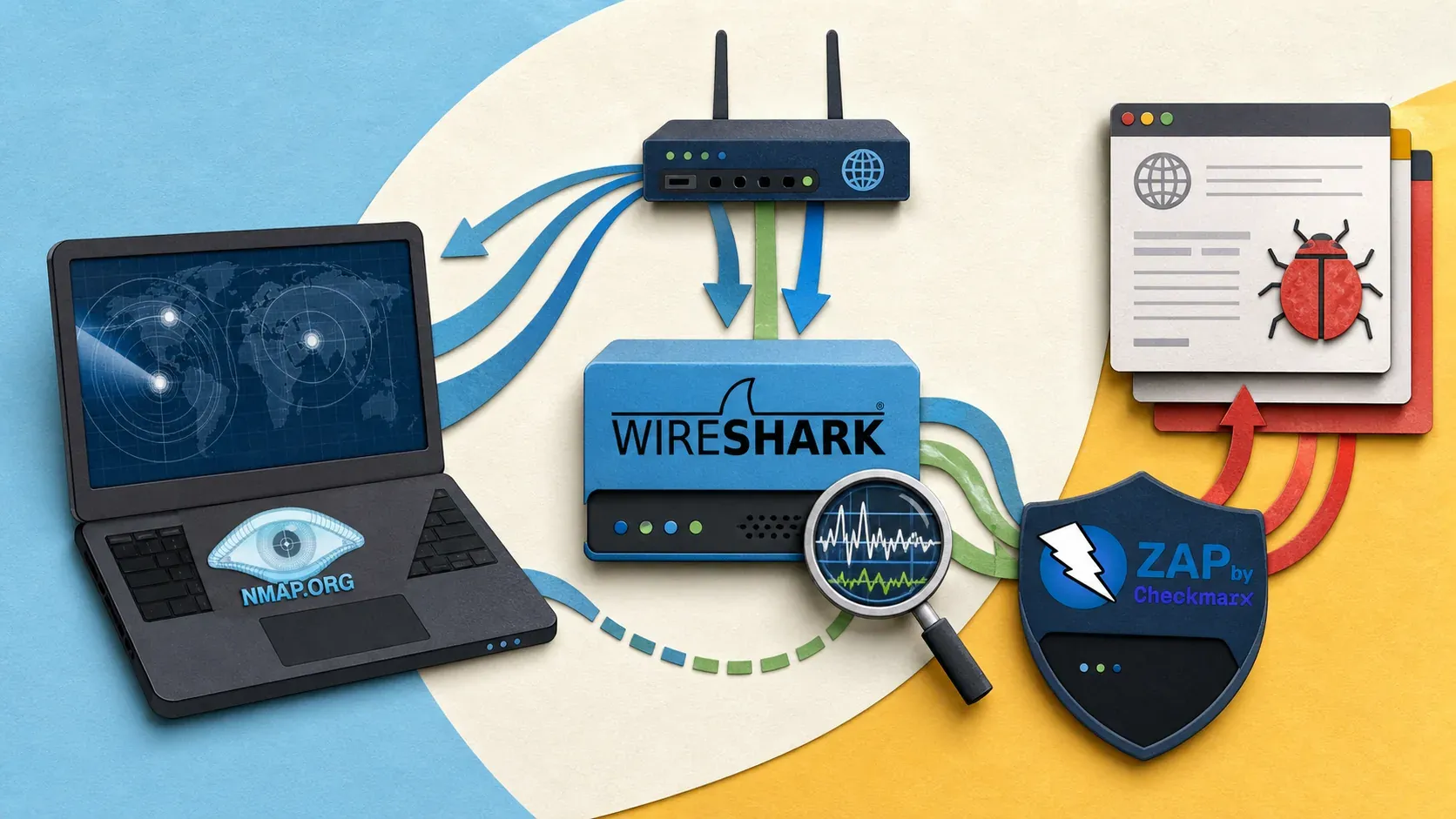
1. Nmap — The Network Scanner That Does Everything
What it does: Port scanning, service detection, OS fingerprinting, and vulnerability detection through its scripting engine (NSE).
Why it's still the best: Nmap has been the gold standard for network scanning for over 25 years, and nothing has replaced it. The NSE scripting engine alone has 600+ scripts for everything from SSL cipher enumeration to brute-force testing.
I use Nmap before and after every server configuration change.
# Quick audit of your server
sudo nmap -sS -sV -sC -p- <YOUR_SERVER_IP>
Best for: Sysadmins auditing their own infrastructure, pentesters during reconnaissance, anyone who needs to know what's exposed on a network.
2. Wireshark — See Every Packet on the Wire
What it does: Captures and analyzes network traffic at the packet level. Deep protocol inspection for hundreds of protocols.
Why it matters: When something weird is happening on your network — unexpected connections, slow performance, suspected data exfiltration — Wireshark shows you exactly what's going over the wire. No guessing.
# Install on Ubuntu/Debian
sudo apt install wireshark -y

# Capture traffic on eth0 (CLI version)
sudo tshark -i eth0 -w capture.pcap
The GUI is where Wireshark shines. Its display filters are incredibly powerful:
# Show only HTTP traffic
http

# Show traffic to/from a specific IP
ip.addr == 192.168.1.100

# Show only DNS queries
dns.qr == 0
Best for: Network troubleshooting, traffic analysis, learning how protocols work at the packet level.
3. Suricata — Open-Source Network IDS/IPS
What it does: Real-time network traffic analysis, intrusion detection, and intrusion prevention. Compatible with Snort rules.
Why I include it: If Wireshark is for manual analysis, Suricata is for automated, always-on monitoring. It watches your network traffic against thousands of signature rules and alerts (or blocks) when it spots something malicious.
sudo apt install suricata -y
sudo suricata-update
sudo systemctl enable suricata --now
Best for: Anyone running production servers who needs automated threat detection. Pairs well with a SIEM like Wazuh for centralized alerting.
Web Application Testing Tools
4. Burp Suite Community Edition — The Pentester's HTTP Proxy
What it does: Intercepts, inspects, and modifies HTTP/HTTPS traffic between your browser and a web application. The community edition includes the proxy, repeater, decoder, and comparer.
What you don't get for free: The community edition lacks the automated scanner, which is Burp's killer feature in the Pro version. But the manual testing tools are still incredibly valuable.
Why it's essential: Understanding how web apps work at the HTTP level is foundational to web security. Burp makes every request and response visible and editable. The OWASP Top 10 vulnerabilities I covered — injection, broken auth, XSS — are all found and exploited through tools like Burp.
Best for: Manual web application testing, learning web security, CTF challenges.
5. OWASP ZAP — The Free Alternative to Burp Pro
What it does: Automated web application vulnerability scanning plus manual testing tools. Full-featured proxy, active scanner, spider, and fuzzer.
Why it's worth using: ZAP gives you automated scanning for free — something Burp locks behind its $449/year Pro license. It's maintained by the OWASP Foundation, actively developed, and has a large community writing scan rules.
# Run ZAP in Docker
docker run -u zap -p 8080:8080 -p 8090:8090 \
  ghcr.io/zaproxy/zaproxy:stable zap-webswing.sh
The automated scan won't catch everything a skilled manual tester would, but it's excellent for finding low-hanging fruit: missing security headers, outdated libraries, common injection points, and configuration issues.
Best for: Automated web app scanning, CI/CD security testing, anyone who wants Burp-like features without paying.
6. Nuclei — Template-Based Vulnerability Scanning
What it does: Sends targeted requests based on YAML templates to detect vulnerabilities, misconfigurations, and exposures. Community-maintained template library with thousands of checks.
Why it's exploding in popularity: Nuclei is fast, flexible, and the template system means you can scan for exactly what you care about. New CVE templates often appear within hours of disclosure.
# Install
go install -v github.com/projectdiscovery/nuclei/v3/cmd/nuclei@latest

# Scan a target with all templates
nuclei -u https://example.com

# Scan with specific severity
nuclei -u https://example.com -severity critical,high
Best for: Automated vulnerability scanning at scale, bug bounty hunting, staying on top of new CVEs. You can also check SSL, headers, and DNS for your domains using the free scanners at tools.byte-guard.net.
Password Auditing Tools
7. John the Ripper — The Classic Password Cracker
What it does: Cracks password hashes using wordlists, rules, and brute-force methods. Supports hundreds of hash formats including Unix crypt, MD5, SHA, bcrypt, and Windows NTLM.
Why it's still relevant: John has been around since 1996, but the "Jumbo" community version stays current with modern hash formats. It's CPU-based, which makes it slower than Hashcat for raw cracking speed, but it's more flexible for certain hash types and works anywhere.
# Install on Ubuntu/Debian
sudo apt install john -y

# Crack a shadow file (your own system only)
sudo unshadow /etc/passwd /etc/shadow > unshadowed.txt
john unshadowed.txt --wordlist=/usr/share/wordlists/rockyou.txt
Best for: Auditing password strength on your own systems, CTF challenges, learning how password cracking works.
8. Hashcat — GPU-Accelerated Hash Cracking
What it does: The same thing as John, but leverages your GPU for massively parallel cracking. Orders of magnitude faster for most hash types.
The trade-off: Hashcat requires a decent GPU and proper driver setup. On a headless VPS without a GPU, it falls back to CPU mode and loses its main advantage. If you're building a home lab, a mid-range GPU turns Hashcat into a beast.
# Crack an MD5 hash with a wordlist
hashcat -m 0 -a 0 hashes.txt /usr/share/wordlists/rockyou.txt

# Crack NTLM hashes
hashcat -m 1000 -a 0 hashes.txt /usr/share/wordlists/rockyou.txt
Best for: Serious password auditing, red team engagements, demonstrating why weak passwords are dangerous.
Container and Infrastructure Security
9. Trivy — Scan Everything in Your Pipeline
What it does: Scans container images, filesystems, Git repositories, and Infrastructure-as-Code (Terraform, CloudFormation) for vulnerabilities, misconfigurations, and embedded secrets.
Why I picked it over alternatives: Trivy is fast, has zero dependencies (single binary), and covers more ground than most competitors. I run it in CI pipelines before any image gets pushed to production.
# Install
sudo apt install trivy -y

# Scan a Docker image
trivy image nginx:latest

# Scan your project directory for vulnerabilities and secrets
trivy fs --scanners vuln,secret .
If you're running Docker in production, container security is non-negotiable. I covered the fundamentals in my Docker security best practices guide. Trivy automates the vulnerability checking part.
Best for: DevOps teams, CI/CD pipeline security, anyone running containers.
10. Lynis — Linux Security Auditing
What it does: Runs hundreds of individual tests on a Linux system and generates a hardening report with a security score and recommendations.
Why it's underrated: Lynis tells you exactly what's weak on your system. It checks file permissions, kernel parameters, authentication settings, network configuration, and more. After running it, you get a prioritized list of what to fix.
# Install
sudo apt install lynis -y

# Run a full system audit
sudo lynis audit system
The output includes a hardening index (score out of 100) and specific suggestions like "Set a password on GRUB bootloader" or "Install a file integrity monitoring tool." It's the perfect companion to manual hardening — catch what you missed.
Best for: Server hardening validation, compliance checking, learning what "secure" actually means for a Linux system.
Monitoring and Intrusion Prevention
11. Uptime Kuma — Self-Hosted Monitoring That Looks Good
What it does: Monitors HTTP/HTTPS, TCP, DNS, Docker containers, and more. Beautiful dashboard, notifications via 90+ integrations (Telegram, Slack, Discord, email), and status pages.
Why I use it: I run Uptime Kuma at status.byte-guard.net to monitor all my services. It took 5 minutes to deploy and has caught outages before anyone noticed. I wrote a full setup guide — check my Uptime Kuma tutorial.
# Docker Compose snippet
services:
  uptime-kuma:
    image: louislam/uptime-kuma:1
    volumes:
      - ./data:/app/data
    ports:
      - "3001:3001"
    restart: unless-stopped
Best for: Anyone running self-hosted services who needs uptime monitoring without paying for Datadog or Pingdom.
12. Fail2ban — Ban Brute-Forcers Automatically
What it does: Monitors log files for failed authentication attempts and automatically bans offending IPs using firewall rules. Protects SSH, web applications, mail servers, and anything that logs failed logins.
Why it's mandatory: Every server exposed to the internet gets hit with brute-force attacks within minutes. Fail2ban is your first line of automated defense. I covered the full setup in my Fail2ban guide.
# Check how many IPs are currently banned
sudo fail2ban-client status sshd
Best for: Every single server connected to the internet. Not optional.
13. CrowdSec — Community-Driven Threat Intelligence
What it does: Like Fail2ban, but with a community-powered blocklist. When one CrowdSec user detects an attacker, that IP gets shared with the entire network.
How it compares to Fail2ban: Fail2ban is reactive — it bans IPs after they attack your server. CrowdSec is proactive — it can block known-bad IPs before they even attempt an attack on your system, because another user already reported them.
# Install CrowdSec
curl -s https://install.crowdsec.net | sudo bash
sudo apt install crowdsec crowdsec-firewall-bouncer-iptables -y

# Check decisions (blocked IPs)
sudo cscli decisions list
Best for: Production servers that need community threat intelligence on top of local detection.
Vulnerability Assessment
14. OpenVAS (Greenbone Community Edition) — Full Vulnerability Scanner
What it does: Comprehensive vulnerability scanning with a database of 100,000+ network vulnerability tests (NVTs). Scans hosts for known vulnerabilities, misconfigurations, and compliance issues.
The honest trade-off: OpenVAS is powerful but heavy. It needs significant RAM (4GB minimum, 8GB recommended) and the initial NVT sync takes a long time. It's enterprise-grade software with a steep learning curve.
# Run via Docker (easiest setup)
docker run -d -p 443:443 --name openvas \
  greenbone/openvas-scanner:stable
Best for: Scheduled vulnerability assessments of your infrastructure, compliance requirements, anyone who needs a free alternative to Nessus.
Learning Platforms (Free Tiers)
15. HackTheBox + TryHackMe — Learn by Doing
These aren't tools you install, but they're essential for building the skills to use everything else on this list.
HackTheBox gives you vulnerable machines to hack. It's more challenging, less guided, and popular with experienced pentesters. The free tier gives you access to a rotating set of active machines.
TryHackMe is more structured with guided learning paths. It's better for beginners and covers topics from Linux basics to advanced exploitation. The free tier has enough content to keep you busy for months.
My recommendation: Start with TryHackMe if you're new to security. Move to HackTheBox once you can solve easy machines without walkthroughs. Both platforms will sharpen the skills you need to use every tool in this article effectively.
For more context on common web vulnerabilities you'll encounter on these platforms, read my OWASP Top 10 breakdown.
Building Your Security Toolkit — Where to Start
If this list feels overwhelming, here's the order I'd recommend:
- Nmap — Learn network scanning first. Everything else builds on this.
- Fail2ban — Install it on every server you run. Today.
- Lynis — Audit your systems and fix what it finds.
- Uptime Kuma — Monitor everything so you know when things break.
- Trivy — If you use Docker, scan your images.
- Burp Suite / ZAP — Pick one and learn web app testing.
- TryHackMe — Practice everything in a safe environment.
For quick online checks without installing anything, the tools at tools.byte-guard.net cover SSL certificate validation, security headers, and DNS lookups — useful when you need a fast second opinion from a different network.
Troubleshooting
Problem: Tool X won't install on my distribution. Cause: Package names and availability vary across distros. Fix: Check the tool's official GitHub releases page. Most security tools provide .deb packages, AppImages, or Docker containers as alternatives.
Problem: Wireshark shows "permission denied" when capturing. Cause: Packet capture requires root or membership in the wireshark group. Fix: sudo usermod -aG wireshark $USER, then log out and back in.
Problem: OpenVAS is extremely slow to start. Cause: The initial NVT sync downloads and processes 100,000+ tests. This is normal on first run. Fix: Wait for the sync to complete (can take 30–60 minutes). Subsequent starts are much faster.
Problem: Nuclei returns zero results on a known-vulnerable target. Cause: Templates may be outdated or the specific vulnerability isn't covered by default templates. Fix: nuclei -update-templates. For specific CVEs: nuclei -tags cve-2024.
Problem: Hashcat runs but is extremely slow. Cause: Falling back to CPU mode — no compatible GPU detected. Fix: Install proper GPU drivers (NVIDIA CUDA or AMD ROCm). Verify with hashcat -I.
Conclusion
The best free security tools in 2026 are genuinely world-class. Open-source security software has reached a point where a solo practitioner with the right toolkit can audit infrastructure as effectively as expensive commercial suites.
The tools listed here cover the full security lifecycle: scanning, testing, cracking, monitoring, and learning. Start with the basics — Nmap, Fail2ban, Lynis — and expand as your skills grow.
What did I miss? If there's a free security tool you swear by that didn't make this list, let me know in the comments.
Comments
Sign in with GitHub to comment. Threads live in the byteguard-comments repo.