 ← Back
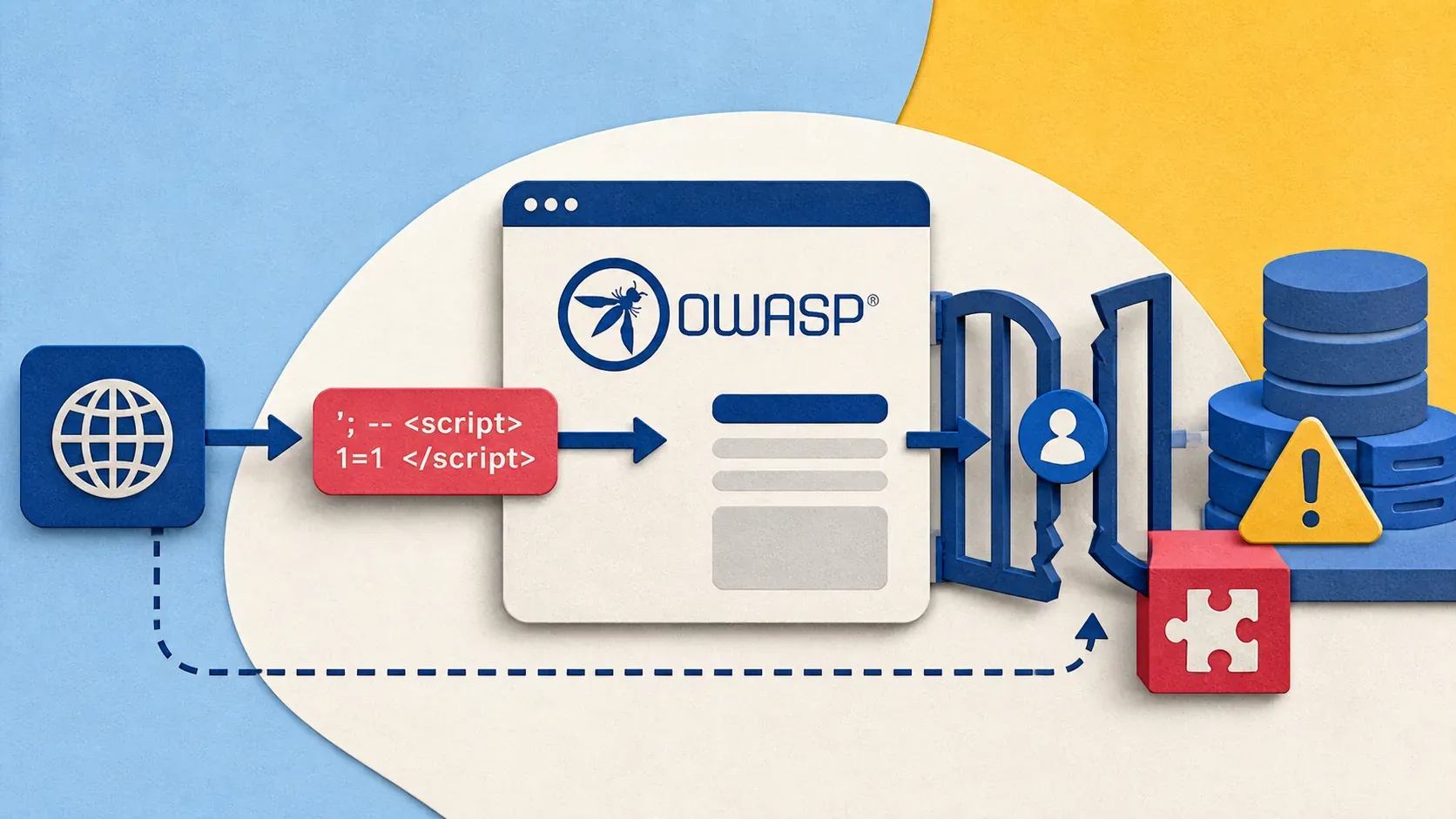
If you build anything for the web -- APIs, SPAs, server-rendered apps, microservices -- the OWASP Top 10 is the baseline you need to know. It is the industry-standard list of the most critical web application security risks, maintained by the Open Worldwide Application Security Project and updated every few years based on real-world data.
This guide is part of our Security Tools Series — hands-on guides for the tools every security-minded developer needs.
The 2021 edition reshuffled the list significantly. Broken Access Control jumped to the number one spot. Three new categories appeared. And some old favorites got merged or renamed.
I have seen too many developers treat the OWASP Top 10 as an abstract checklist they skim once during a compliance audit. That misses the point. Every item on this list represents thousands of actual breaches. In this post, I will walk through each of the OWASP Top 10 explained with real code showing the vulnerability and the fix -- in Python and JavaScript, because those are what most web developers work with daily.
Prerequisites
- Basic understanding of HTTP requests and responses
- Familiarity with Python (Flask/FastAPI) or JavaScript (Node.js/Express)
- A general understanding of how web applications work (client-server model)
If you are running your own servers, my SSH hardening guide and VPS hardening guide cover the infrastructure side of security.
A01: Broken Access Control
What it is: Users can act outside their intended permissions. This includes accessing other users' data, modifying records they should not touch, or escalating privileges.
Broken Access Control moved from #5 to #1 in 2021. It is the most common vulnerability found in real applications.
Vulnerable code (Python/FastAPI):
@app.get("/api/users/{user_id}/profile")
async def get_profile(user_id: int):
    # No check: any authenticated user can view any profile
    user = await db.get_user(user_id)
    return user.to_dict()
The problem: the endpoint accepts any user_id and returns the data. There is no check that the requesting user is authorized to see that profile. This is an Insecure Direct Object Reference (IDOR).
Fixed code:
@app.get("/api/users/{user_id}/profile")
async def get_profile(user_id: int, current_user: User = Depends(get_current_user)):
    if current_user.id != user_id and not current_user.is_admin:
        raise HTTPException(status_code=403, detail="Forbidden")
    user = await db.get_user(user_id)
    return user.to_dict()
Key defenses: Deny by default. Enforce ownership checks on every data access. Disable directory listing. Log access control failures and alert on repeated attempts.
A02: Cryptographic Failures
What it is: Sensitive data exposed due to weak or missing encryption. This covers data in transit (no TLS), data at rest (plaintext passwords in the database), and weak algorithms (MD5, SHA1 for passwords).
Vulnerable code (JavaScript/Node.js):
const crypto = require('crypto');

// Storing password with MD5 -- no salt, fast hash, trivially crackable
function hashPassword(password) {
  return crypto.createHash('md5').update(password).digest('hex');
}

// Connecting to database without TLS
const connection = mysql.createConnection({
  host: 'db.example.com',
  user: 'app',
  password: 'secret123',  // Hardcoded credential
  database: 'production'
});
Fixed code:
const bcrypt = require('bcrypt');

// bcrypt: slow by design, includes salt automatically
async function hashPassword(password) {
  const saltRounds = 12;
  return await bcrypt.hash(password, saltRounds);
}

async function verifyPassword(password, hash) {
  return await bcrypt.compare(password, hash);
}

// TLS-enabled connection, credentials from environment
const connection = mysql.createConnection({
  host: process.env.DB_HOST,
  user: process.env.DB_USER,
  password: process.env.DB_PASSWORD,
  database: process.env.DB_NAME,
  ssl: { rejectUnauthorized: true }
});
Key defenses: Use bcrypt, scrypt, or Argon2 for passwords. Enforce TLS everywhere. Never hardcode secrets -- use environment variables. Classify data and apply encryption based on sensitivity.
A03: Injection
What it is: Untrusted data sent to an interpreter as part of a command or query. SQL injection is the classic example, but this also covers NoSQL injection, OS command injection, and LDAP injection.
Vulnerable code (Python):
@app.get("/api/search")
async def search_users(username: str):
    # String concatenation -- classic SQL injection
    query = f"SELECT * FROM users WHERE username = '{username}'"
    results = await db.execute(query)
    return results
An attacker sends username=' OR '1'='1 and gets every user in the database. Or worse: '; DROP TABLE users; --.
Fixed code:
@app.get("/api/search")
async def search_users(username: str):
    # Parameterized query -- the database handles escaping
    query = "SELECT * FROM users WHERE username = :username"
    results = await db.execute(query, {"username": username})
    return results
Key defenses: Use parameterized queries or an ORM for all database access. Validate and sanitize all input. Use allowlists for expected input patterns. If you must run OS commands, never pass user input to them directly.
A04: Insecure Design
What it is: Flaws in the architecture and design of the application, not in the implementation. This category (new in 2021) covers missing security controls that should have been planned from the start.
Example scenario: An e-commerce site lets users reset their password by answering "What is your mother's maiden name?" This is an insecure design -- the security question can be researched on social media. No amount of secure coding fixes a broken design.
Another example -- no rate limiting on a sensitive endpoint:
# Insecure design: no rate limit on login attempts
@app.post("/api/login")
async def login(credentials: LoginRequest):
    user = await db.get_user_by_email(credentials.email)
    if user and verify_password(credentials.password, user.password_hash):
        return {"token": create_jwt(user)}
    raise HTTPException(status_code=401, detail="Invalid credentials")
Improved design:
from slowapi import Limiter

limiter = Limiter(key_func=get_remote_address)

@app.post("/api/login")
@limiter.limit("5/minute")  # Max 5 attempts per minute per IP
async def login(request: Request, credentials: LoginRequest):
    user = await db.get_user_by_email(credentials.email)
    if user and verify_password(credentials.password, user.password_hash):
        await db.reset_failed_attempts(user.id)
        return {"token": create_jwt(user)}
    if user:
        await db.increment_failed_attempts(user.id)
        if await db.get_failed_attempts(user.id) > 10:
            await db.lock_account(user.id)
    raise HTTPException(status_code=401, detail="Invalid credentials")
Key defenses: Threat model your application before writing code. Use abuse-case stories alongside user stories. Implement rate limiting, account lockout, and monitoring from the start.
A05: Security Misconfiguration
What it is: Insecure default configurations, incomplete configurations, open cloud storage, misconfigured HTTP headers, verbose error messages that leak sensitive information.
This is extremely common in self-hosted setups. I wrote about this in the context of containers in my Docker security guide -- default Docker configurations are not production-ready.
Vulnerable example (Express.js):
const express = require('express');
const app = express();

// Stack traces exposed to users
app.use((err, req, res, next) => {
  res.status(500).json({
    error: err.message,
    stack: err.stack,       // Leaks internal paths and code structure
    query: req.query        // Echoes back user input
  });
});

// Default headers not removed
// X-Powered-By: Express  -- tells attackers your framework
Fixed example:
const express = require('express');
const helmet = require('helmet');
const app = express();

// helmet sets security headers and removes X-Powered-By
app.use(helmet());

// Generic error handler for production
app.use((err, req, res, next) => {
  console.error(`[${new Date().toISOString()}] ${err.stack}`);  // Log internally
  res.status(500).json({
    error: 'Internal server error'  // Generic message to client
  });
});
Key defenses: Remove or change all default credentials. Disable directory listing, debug modes, and stack traces in production. Automate configuration hardening. Review cloud storage permissions.
A06: Vulnerable and Outdated Components
What it is: Using libraries, frameworks, or other software components with known vulnerabilities. This includes operating system packages, application dependencies, and container base images.
Detecting vulnerable dependencies (Python):
# Install safety (Python vulnerability scanner)
pip install safety

# Scan your requirements
safety check -r requirements.txt

# Or scan the current environment
safety check
For JavaScript projects:
# Built-in npm audit
npm audit

# For a detailed report
npm audit --json | jq '.vulnerabilities | keys'

# Fix automatically where possible
npm audit fix
For Docker images:
# Scan a Docker image with Trivy
trivy image your-app:latest

# Scan with severity filter
trivy image --severity HIGH,CRITICAL your-app:latest
Key defenses: Run dependency scanners in your CI/CD pipeline. Subscribe to security advisories for your stack. Remove unused dependencies. Use specific version pins, not ranges, for critical libraries.
A07: Identification and Authentication Failures
What it is: Weaknesses in authentication mechanisms -- permitting weak passwords, credential stuffing, missing multi-factor authentication, or improper session management.
Vulnerable session handling (Python/Flask):
from flask import Flask, session
import os

app = Flask(__name__)
app.secret_key = "super-secret-key"  # Hardcoded, predictable

@app.route("/login", methods=["POST"])
def login():
    user = authenticate(request.form["email"], request.form["password"])
    if user:
        session["user_id"] = user.id
        # Session never expires
        # Session ID not rotated after login
        # No check for brute force
        return redirect("/dashboard")
Fixed implementation:
from flask import Flask, session
from datetime import timedelta
import os
import secrets

app = Flask(__name__)
app.secret_key = os.environ["FLASK_SECRET_KEY"]  # From environment
app.config.update(
    SESSION_COOKIE_HTTPONLY=True,
    SESSION_COOKIE_SECURE=True,       # HTTPS only
    SESSION_COOKIE_SAMESITE="Lax",
    PERMANENT_SESSION_LIFETIME=timedelta(hours=1),
)

@app.route("/login", methods=["POST"])
def login():
    user = authenticate(request.form["email"], request.form["password"])
    if user:
        session.clear()                  # Invalidate old session
        session.regenerate()             # New session ID (prevents fixation)
        session["user_id"] = user.id
        session.permanent = True         # Enables expiry
        return redirect("/dashboard")
Key defenses: Implement multi-factor authentication. Enforce password complexity and check against breached password lists (haveibeenpwned API). Rotate session IDs after login. Set session timeouts.
A08: Software and Data Integrity Failures
What it is: Code and infrastructure that does not verify integrity. This includes insecure CI/CD pipelines, auto-update mechanisms without signature verification, and deserialization of untrusted data.
Vulnerable deserialization (Python):
import pickle
import base64

@app.post("/api/import")
async def import_data(data: str):
    # NEVER unpickle untrusted data -- arbitrary code execution
    obj = pickle.loads(base64.b64decode(data))
    return {"imported": len(obj)}
Pickle deserialization executes arbitrary Python code. An attacker can craft a payload that runs system commands on your server.
Fixed approach:
import json

@app.post("/api/import")
async def import_data(data: str):
    try:
        obj = json.loads(base64.b64decode(data))
        # Validate structure with Pydantic or similar
        validated = ImportSchema(**obj)
        return {"imported": len(validated.items)}
    except (json.JSONDecodeError, ValidationError) as e:
        raise HTTPException(status_code=400, detail="Invalid data format")
Key defenses: Use JSON instead of binary serialization formats. Verify digital signatures on software updates. Secure your CI/CD pipeline -- it is a high-value target. Use Subresource Integrity (SRI) for external scripts.
A09: Security Logging and Monitoring Failures
What it is: Insufficient logging, detection, monitoring, and active response. Without proper logging, breaches go undetected for months. The median time to detect a breach is still over 200 days.
Minimal (bad) logging:
@app.post("/api/login")
async def login(credentials: LoginRequest):
    user = await authenticate(credentials.email, credentials.password)
    if user:
        return {"token": create_jwt(user)}
    # No log of the failed attempt
    return {"error": "Invalid credentials"}
Proper security logging:
import logging
from datetime import datetime

security_logger = logging.getLogger("security")
security_logger.setLevel(logging.INFO)
handler = logging.FileHandler("/var/log/app/security.log")
handler.setFormatter(logging.Formatter(
    '%(asctime)s %(levelname)s %(message)s'
))
security_logger.addHandler(handler)

@app.post("/api/login")
async def login(request: Request, credentials: LoginRequest):
    client_ip = request.client.host
    user = await authenticate(credentials.email, credentials.password)

    if user:
        security_logger.info(
            f"LOGIN_SUCCESS email={credentials.email} ip={client_ip}"
        )
        return {"token": create_jwt(user)}

    security_logger.warning(
        f"LOGIN_FAILURE email={credentials.email} ip={client_ip}"
    )
    # Alert on repeated failures from same IP
    await check_brute_force(client_ip)
    raise HTTPException(status_code=401, detail="Invalid credentials")
What to log: All authentication events (success and failure), authorization failures, input validation failures, and any server-side errors. What not to log: Passwords, credit card numbers, session tokens, or personal data.
Key defenses: Log security events in a structured format. Ship logs to a central location. Set up alerts for anomalous patterns. Test that your monitoring actually catches attacks. I run Uptime Kuma for availability monitoring, but application-level logging requires dedicated tools like the ELK stack, Loki, or Graylog.
A10: Server-Side Request Forgery (SSRF)
What it is: The application fetches a remote resource based on user-supplied input without validating the destination. Attackers can make the server send requests to internal services, cloud metadata endpoints, or other systems behind the firewall.
Vulnerable code (JavaScript/Node.js):
const axios = require('axios');

app.post('/api/fetch-url', async (req, res) => {
  const { url } = req.body;
  // No validation -- attacker can target internal services
  const response = await axios.get(url);
  res.json({ data: response.data });
});

// Attacker sends: {"url": "http://169.254.169.254/latest/meta-data/"}
// This fetches AWS instance metadata including IAM credentials
Fixed code:
const axios = require('axios');
const { URL } = require('url');
const dns = require('dns').promises;
const ipaddr = require('ipaddr.js');

const ALLOWED_PROTOCOLS = ['http:', 'https:'];
const BLOCKED_HOSTS = ['metadata.google.internal', '169.254.169.254'];

async function isPrivateIP(hostname) {
  const addresses = await dns.resolve4(hostname);
  return addresses.some(addr => {
    const parsed = ipaddr.parse(addr);
    return parsed.range() !== 'unicast';  // Blocks private, loopback, link-local
  });
}

app.post('/api/fetch-url', async (req, res) => {
  const { url } = req.body;

  try {
    const parsed = new URL(url);

    if (!ALLOWED_PROTOCOLS.includes(parsed.protocol)) {
      return res.status(400).json({ error: 'Protocol not allowed' });
    }
    if (BLOCKED_HOSTS.includes(parsed.hostname)) {
      return res.status(400).json({ error: 'Host not allowed' });
    }
    if (await isPrivateIP(parsed.hostname)) {
      return res.status(400).json({ error: 'Internal addresses not allowed' });
    }

    const response = await axios.get(url, { timeout: 5000, maxRedirects: 0 });
    res.json({ data: response.data });
  } catch (err) {
    res.status(400).json({ error: 'Invalid URL or fetch failed' });
  }
});
Key defenses: Validate and sanitize all user-supplied URLs. Block requests to private IP ranges and cloud metadata endpoints. Use allowlists when the set of target URLs is known. Disable HTTP redirects or validate each redirect destination.
Security Considerations
Understanding the OWASP Top 10 is a starting point, not a finish line. These are the most common risks, not the only risks. Application security is layered:
- Infrastructure layer: Harden your server (VPS hardening guide), lock down SSH (SSH hardening guide), containerize applications (Docker security guide)
- Application layer: Follow the OWASP Top 10, implement defense in depth, validate all input
- Process layer: Code reviews, dependency scanning, automated security testing in CI/CD
No single control stops every attack. The goal is to make exploitation expensive, detection fast, and recovery possible.
Troubleshooting
Problem: Your parameterized query still seems vulnerable to injection. Cause: You are using string formatting to build the query and then passing it to the parameterized query function. The parameterization only works if the query string itself uses placeholders. Fix: Verify that you are using :param (SQLAlchemy), ? (sqlite3), or $1 (PostgreSQL) in the query string itself, not f-strings or .format().
Problem: bcrypt is extremely slow in your application. Cause: The salt rounds are set too high for your server's CPU. Fix: 10-12 rounds is the standard recommendation. Each increment doubles the computation time. Benchmark on your hardware: time python -c "import bcrypt; bcrypt.hashpw(b'test', bcrypt.gensalt(rounds=12))".
Problem: CSP violations flooding your logs after deploying Content-Security-Policy-Report-Only. Cause: Browser extensions inject scripts that violate your CSP. These are not real attacks. Fix: Filter out known extension patterns (e.g., chrome-extension://) from your CSP reports. Focus on violations from your application's actual resources.
Problem: Rate limiting blocks legitimate users behind a shared IP (corporate NAT, VPN). Cause: IP-based rate limiting cannot distinguish between users sharing an IP. Fix: Combine IP-based limits with account-based limits. Use X-Forwarded-For carefully (it can be spoofed). Consider CAPTCHA challenges instead of hard blocks for borderline cases.
Problem: npm audit reports hundreds of vulnerabilities, mostly in dev dependencies. Cause: Many audit findings are in transitive dependencies used only during development, not in production code. Fix: Use npm audit --production to filter to production dependencies only. Prioritize direct dependencies with HIGH or CRITICAL severity.
Conclusion
The OWASP Top 10 is not a compliance checkbox -- it is a map of how real applications get breached. Every item on the list corresponds to thousands of real incidents, and the code examples above represent patterns I have seen in production codebases.
The most impactful changes you can make right now: use parameterized queries everywhere, enforce access control checks at every endpoint, hash passwords with bcrypt or Argon2, and log all authentication events.
For infrastructure-level hardening to complement your application security, check out my VPS hardening guide and Docker security best practices.
Building a secure application from scratch? You will need a solid server foundation. I run all my projects on Hetzner -- reliable, affordable, and great performance. Check out their cloud plans.
Comments
Sign in with GitHub to comment. Threads live in the byteguard-comments repo.