[ security ]

security

8 posts

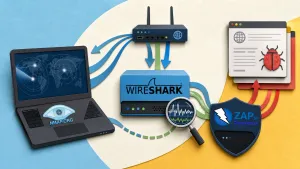
Cybersecurity toolkit illustration with shields and scanning icons on dark navy background
[ security ]

15 Best Free Security Tools in 2026

I spend a lot of time testing security tools — for my own infrastructure, for CTF challenges, and for the tools I recommend
May 13 · 9 min
A
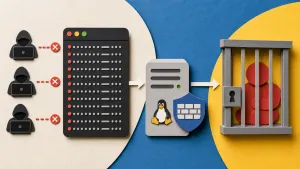
Glowing shield deflecting brute-force attack arrows with banned IPs in a jail cell — Fail2Ban setup guide
[ fail2ban ]

How to Set Up Fail2Ban on Your Server

TL;DR Install and configure Fail2Ban to automatically block IPs that brute-force your SSH, Nginx, or other services. Includes custom jails for
Apr 20 · 8 min
A
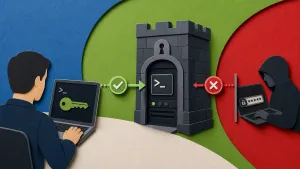
Fortress server with padlock, SSH config terminal, and blocked connection attempts — SSH hardening guide
[ ssh ]

SSH Hardening — The Ultimate Guide for 2026

TL;DR Go beyond basic SSH setup: disable password auth, lock down sshd_config with strong modern ciphers, add Fail2Ban for automated
Apr 18 · 8 min
A
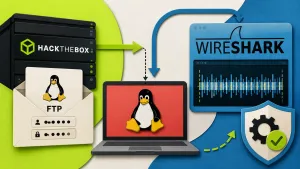
HackTheBox Cap walkthrough — terminal with root shell, packet capture window, and key on dark desk
[ ctf ]

HackTheBox Cap Walkthrough — Step by Step

Spoiler Warning: This is a full walkthrough of the retired HackTheBox machine "Cap." If you haven't attempted it
Apr 17 · 5 min
A
Vault door with digital key and shield icon representing self-hosted Vaultwarden password manager
[ vaultwarden ]

How to Self-Host Vaultwarden with Docker

TL;DR Self-host Bitwarden’s open-source backend (Vaultwarden) on your VPS using Docker Compose. Get a fully functional password manager with end-to-end

Apr 15 · 8 min
A
WireGuard VPN tunnel connecting a laptop to a server with encrypted data flow
[ vpn ]

Setting Up WireGuard VPN on Your Own Server

TL;DR Deploy a self-hosted WireGuard VPN server using Docker Compose in under 15 minutes. Generate client configs automatically and connect phones,

Apr 13 · 7 min
A
Docker whale logo on a locked shipping container — Docker security best practices for self-hosters
[ docker ]

Docker Security Best Practices for Self-Hosters in 2026

TL;DR Secure Docker containers with 10 proven practices: run as non-root, use read-only filesystems, set resource limits, manage secrets properly, scan

Apr 12 · 11 min
A
Flat illustration of a glowing hexagonal padlock in front of a brick firewall and terminal window with SSH commands, representing Linux VPS hardening
[ linux ]

How to Harden Your Linux VPS in 10 Minutes

TL;DR Lock down a fresh Linux VPS in 10 minutes: disable root SSH login, set up SSH keys, configure UFW firewall,

Apr 10 · 7 min
A